Promotion Badges Magento Tutorial
This simple tweak will give you the power to enable and disable promotional badges over individual product images in Magento. This is particularly useful if you often have exclusives, cash back offers or price discounts.
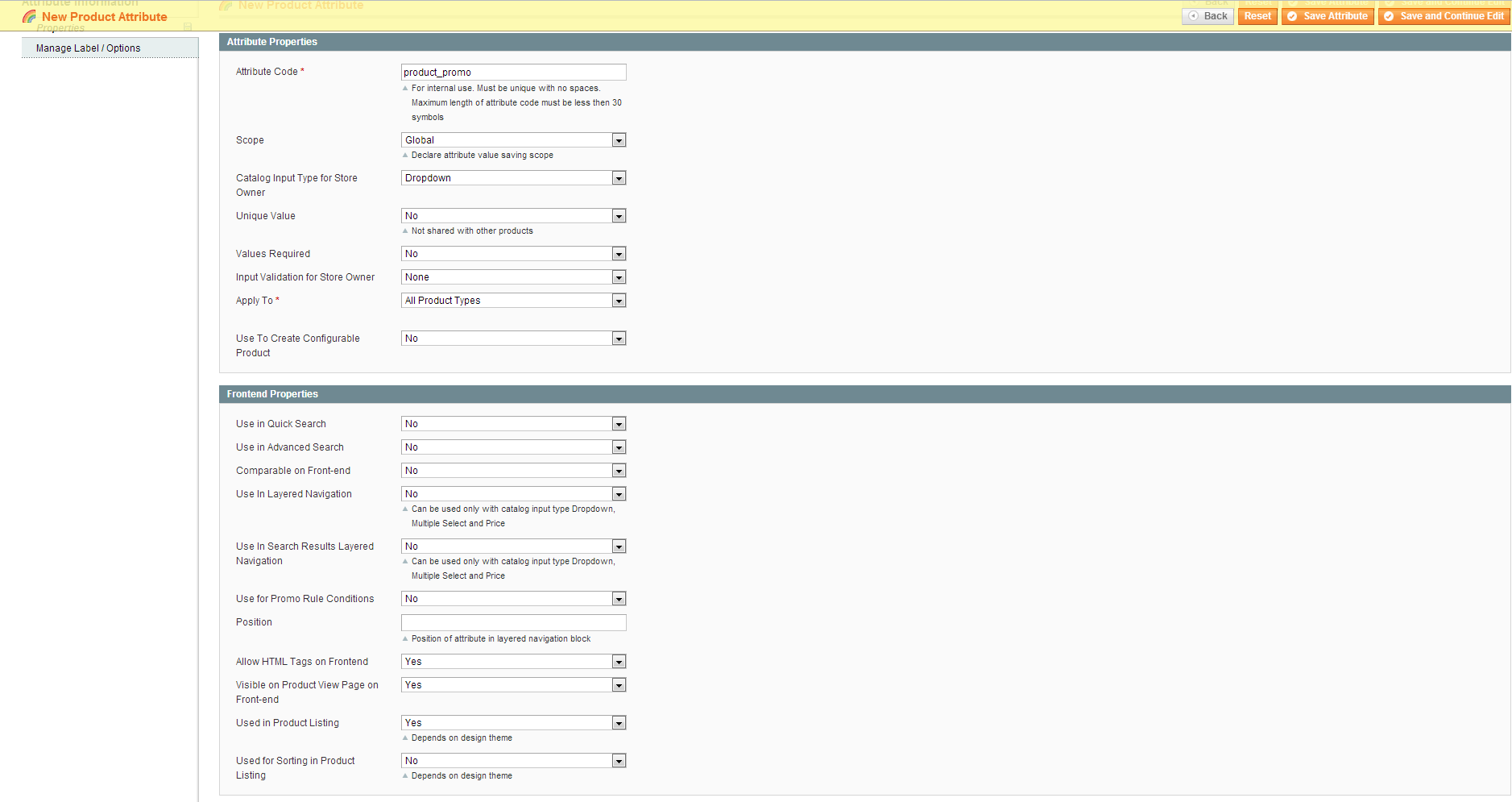
First we need to set up the attribute that will contain our various different promotions. To do this simply login to your Magento admin panel and go to Catalog -.> Attributes -> Manage Attributes. Now click “Add New Atrtibute” and set up the attribute like so (click for a larger view)…
We’ve created a drop down attribute so now we can add some options to it by clicking “Manage Label Options”. You can see below I’ve added a memorable name for the attribute that will be displayed in the product management admin panel. I’ve also added a few example promotions, you can add whatever promotions you like here.
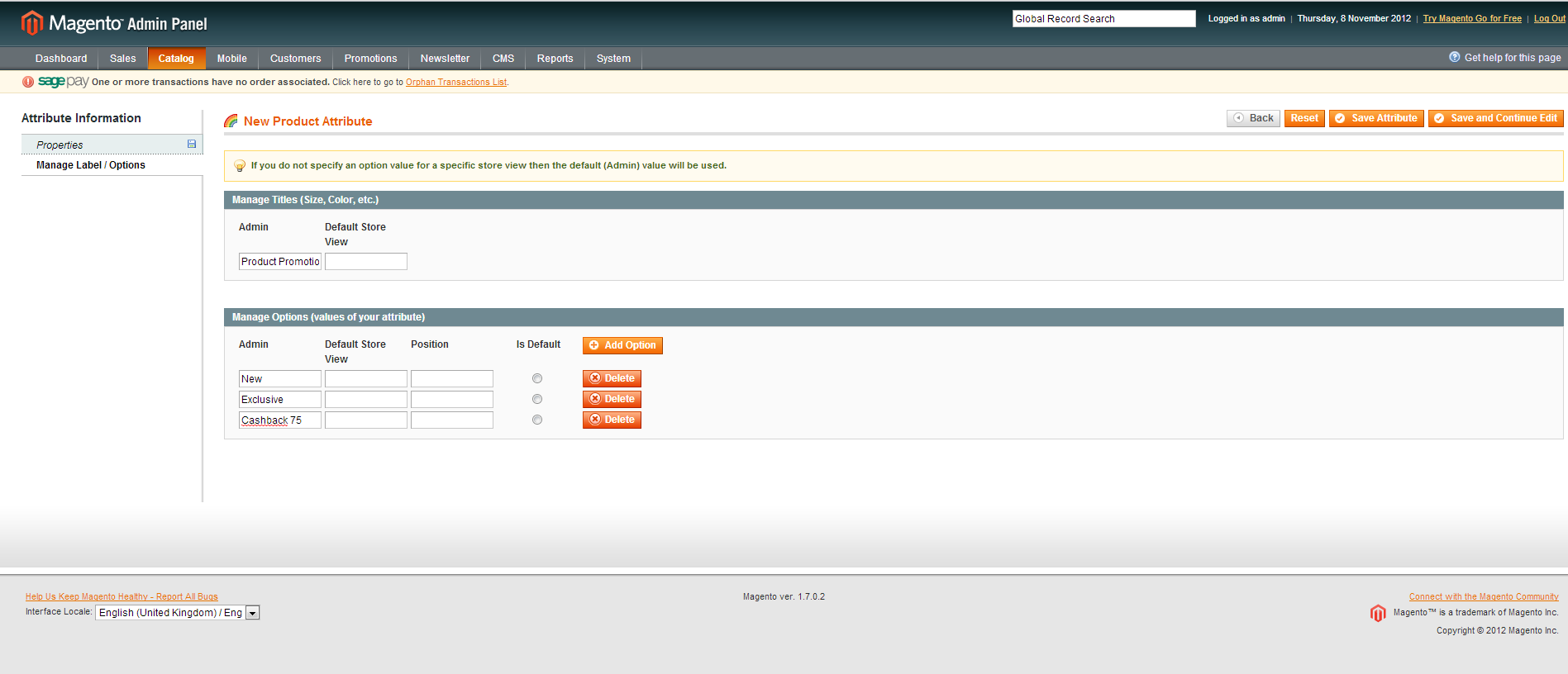
Once we’ve added our options we can save the attribute. We now need to add the attribute to our attribute sets (If you’re not sure how to do this you can follow this helpful tutorial by Magento http://www.magentocommerce.com/knowledge-base/entry/how-do-i-create-an-attribute-set).
The next step is to create some nice badges for each of the promotions we have created. As a rough guide I would suggest creating 39 x 39 pixel pngs with transparent backgrounds, something like this…

These then need to be uploaded to /skin/frontend/your-package/your-theme/img/
We’ve set the attribute up and created the badges, next we need to add some CSS rules to put the badges in the right place. Add the following rule to your theme’s stylesheet…
.promo-product {

position: absolute;

left: 5px;

top: 9px;

width: 75px;

height: 75px;

text-indent: -9999px;

}
This will position your badges. Now we need to add a css rule for each promo rule we created earlier, this is what pulls in the different badges. So based on the example we would add the following rules….
.new{

background:url(../img/new.png) no-repeat;

}
.exclusive{
background:url(../img/exclusive.png) no-repeat;
}
.cashback-75{
background:url(../img/cashback-75.png) no-repeat;
}
Make sure to replace any upper case characters with lower case and any spaces with hyphens.
Finally we need to delve into a template file so that our new badges are displayed. The badges can be over layed on any product images in Magento however for this tutorial we will just add them to the category pages.
Open app/design/frontend/your-package/your-theme/catalog/product/list.phtml and find the code similar to this (there should be two instances, one for the list view and one for grid view):
<a class="product-image" title="<?php echo $this->stripTags($this->getImageLabel($_product, 'small_image'), null, true) ?>" href="<?php echo $_product->getProductUrl() ?>">

<img alt="<?php echo $this->stripTags($this->getImageLabel($_product, 'small_image'), null, true) ?>" src="<?php echo $this->helper('catalog/image')->init($_product, 'small_image')->resize(135); ?>" width="135" height="135" />

</a>
Update the code so it now resembles something like this:
$product_offer = $_product->getAttributeText('productoffer');
$product_offer_class = str_replace(‘ ‘, ‘-‘, strtolower($product_offer));
<a class=”product-image” title=”<?php echo $this->htmlEscape($this->getImageLabel($_product, ‘small_image’)) ?>” href=”<?php echo $_product->getProductUrl() ?>”>
<img alt=”<?php echo $this->htmlEscape($this->getImageLabel($_product, ‘small_image’)) ?>” src=”<?php echo $this->helper(‘catalog/image’)->init($_product, ‘small_image’)->resize(200, 200); ?>” /></a>
<div class=”promo-product <?php echo $product_offer_class; ?>”>Offer</div>
The code now pulls in the value of the attribute we created for the product, places a div over the image and pulls in the css styles we created to show our new badge.
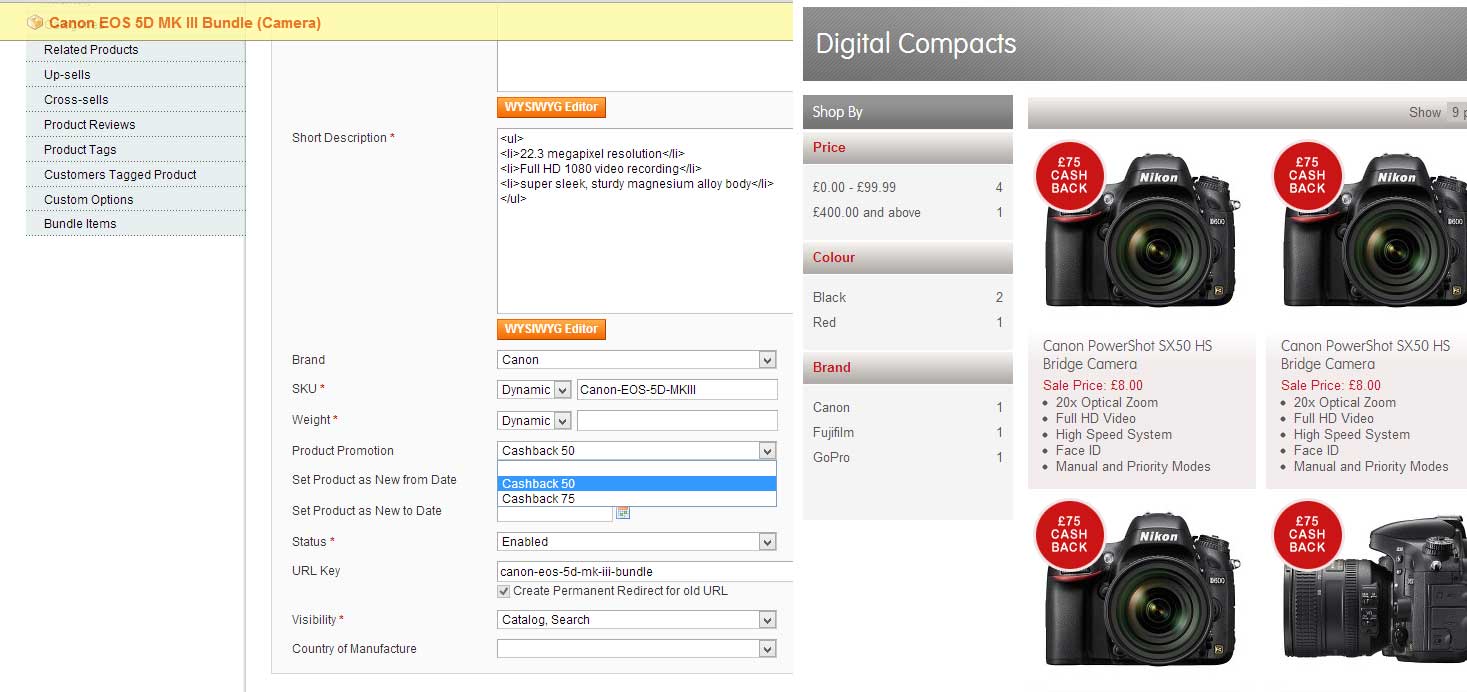
To enable a promo overlay for a product all we have to do is edit a product in the Magento back end, find our “Product Promo” attribute, select the promo we want and then save the product.



Adobe Commerce (Magento)
Formerly known as Magento, Adobe Commerce is built for complex catalogues, integrations, and long term growth. We design and develop stable, scalable stores that support demanding eCommerce requirements, including multi-store setups, complex pricing, and Hyva based performance improvements.

Bespoke Build
We design and build custom eCommerce platforms for businesses with complex workflows, integrations, or non standard requirements. Built from scratch around your business needs using Laravel and modern architectures.

Working with brands across the UK from our offices in Cardiff and Exeter, you deal directly with a senior team of designers and developers specialising in Shopify, Magento, WordPress and bespoke eCommerce platforms.
We focus on commercial outcomes. Better conversion rates, strong SEO foundations and eCommerce platforms that continue to improve long after launch.