Website launch checklist 2026: your complete guide
TL;DR:
- Launching a website without thorough planning risks delays, poor SEO, and missed performance opportunities.
- A detailed checklist from goal setting to post-launch review ensures a smooth, optimized, and compliant site launch in 2026.
Launching a website without a proper plan is one of the most expensive mistakes a business can make. Pages go live with staging noindex settings still active, analytics tracking fires blanks for weeks, and mobile responsiveness gets checked only after customers start complaining. A solid website launch checklist 2026 is not a nice-to-have. It is the difference between a site that ranks, converts, and performs from day one and one that quietly fails in the background. This guide walks you through every phase, from initial preparation right through to post-launch monitoring, so nothing critical gets missed.
Table of Contents
- Key takeaways
- Before you build: preparation steps that matter
- The execution phase: technical setup and SEO foundations
- Launch day: final checks and legal compliance
- Post-launch: monitoring, iteration, and growth
- My honest take on launching websites in 2026
- How Bigeyedeers can support your launch
- FAQ
Key takeaways
| Point | Details |
|---|---|
| Plan before you build | Define goals, audience, and site architecture before touching design or development tools. |
| Write copy before design | Real content shapes layout decisions; placeholder text causes expensive rework later. |
| Verify staging settings post-launch | Check noindex and robots.txt immediately after DNS switch to avoid search invisibility. |
| Track from day one | Analytics and conversion events must be live before launch to capture baseline data. |
| Post-launch iteration beats perfection | Regular audits and content refreshes drive stronger organic growth than a single big launch. |
Before you build: preparation steps that matter
Most website launches go wrong before a single line of code is written. The preparation phase is where you define everything that follows, and skipping it means revisiting fundamental decisions mid-build at considerable cost.
Start by getting crystal clear on what the website actually needs to achieve. Are you generating leads, selling products, building brand authority, or supporting existing customers? Each goal demands a different page structure, different conversion points, and different success metrics. Write these down. A vague goal like “look professional” will produce a vague website.
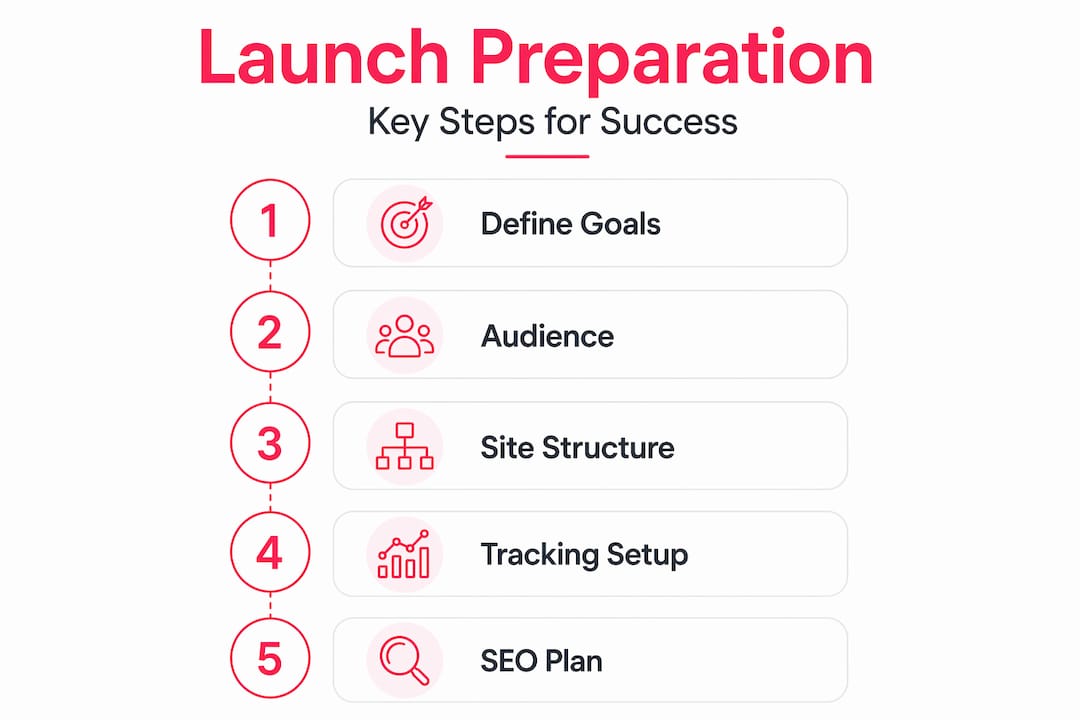
Once goals are set, map your site architecture. Important pages should sit within three clicks of the homepage to maximise link equity and help search engines crawl efficiently. A flat structure is faster to navigate, better for SEO, and considerably easier to maintain as the site grows.
Here is what your preparation checklist should cover:
- Define primary conversions. Know exactly what action you want each page to drive before anyone opens a design tool.
- Write your copy first. Designing around placeholder text causes layout breakdowns when real content replaces it. Get the words right, then design around them.
- Choose your platform deliberately. Pick a CMS or ecommerce platform based on long-term maintainability, not just launch speed. Factor in who will manage it after go-live.
- Plan your URL structure. Changing URLs post-launch is painful and risks losing any early SEO traction you have built.
- Identify your primary audience. Document their needs, likely search intent, and the questions they will bring to your site.
Pro Tip: Set up your Google Analytics 4 property and Google Search Console account during the preparation phase, not the day before launch. You want tracking verified and working long before go-live.
The execution phase: technical setup and SEO foundations
With your plan in place, the build phase is where most of the technical groundwork happens. Getting this right means your site arrives indexed, mobile-ready, and measurable.
-
Configure your staging environment correctly. Every staging site should have a noindex directive. The critical step is removing it on the production environment before go-live. Staging misconfigurations left on live sites are the single most common reason new websites are invisible to search engines for weeks.
-
Install and configure SSL. Your SSL certificate should be active, correctly configured for all subdomains if applicable, and verified in your browser before DNS cutover. An insecure padlock on launch day destroys trust immediately.
-
Optimise for mobile from the start. Google uses mobile-first indexing, meaning your mobile site determines your search ranking performance, not your desktop version. Test on real devices, not just browser simulators.
-
Set up Core Web Vitals monitoring. Largest Contentful Paint, Cumulative Layout Shift, and Interaction to Next Paint are ranking signals. Run your pages through PageSpeed Insights before launch and address any critical issues. Automated performance gates in pipelines can stop slow code reaching production entirely.
-
Build your XML sitemap and configure robots.txt. These two files tell search engines where to look and what to ignore. Generate your sitemap dynamically if your platform supports it.
-
Set up 301 redirects for any migrated content. If you are replacing an existing site, map old URLs to new ones before launch day. Every broken redirect is a lost ranking and a frustrated visitor.
-
Run automated accessibility checks. Tools like WAVE or axe DevTools surface alt text gaps, colour contrast failures, and form labelling issues quickly. Accessibility compliance also improves SEO signals.
-
Verify analytics and conversion tracking. Tracking must be active before launch to capture baseline data from day one. Use Google Tag Manager to audit every event trigger before the DNS switch.
Here is a quick reference for your technical configuration priorities:
| Area | What to check | Why it matters |
|---|---|---|
| SSL certificate | Active, valid, covers all subdomains | Trust signal and ranking factor |
| robots.txt | Correct for production environment | Controls what search engines index |
| Mobile performance | Tested on real devices | Google indexes mobile version first |
| Core Web Vitals | LCP under 2.5s, CLS under 0.1 | Direct ranking factors |
| Analytics tracking | GA4 events firing correctly | Captures data from first visit |
Pro Tip: Use a tool like Screaming Frog to crawl your staging environment before go-live. It will surface orphaned pages, missing meta descriptions, broken internal links, and duplicate title tags far faster than any manual review.
Launch day: final checks and legal compliance
This is the phase where nerves run high and mistakes multiply. Slow down. A methodical launch day process is the reason some sites go live cleanly and others spend three days firefighting.
Before you flip the DNS switch, run through the following:
- Cross-browser and cross-device QA. Test every key page in Chrome, Firefox, Safari, and Edge. Check on iOS and Android. Pay particular attention to forms, checkout flows, and navigation menus.
- Validate all forms. Submit every contact form, enquiry form, and signup form as a test user. Confirm the submission reaches the right inbox and the confirmation message is accurate.
- Crawl for broken links. Run a full site crawl and fix any 404 errors before the public arrives. Broken links on launch day are not good.
- Confirm legal pages are live. Privacy policy, terms and conditions, and cookie notice must all be accessible and accurate. GDPR compliance in the UK is not optional.
- Check cookie consent mechanisms. Your cookie banner must offer genuine choice, log consent, and block non-essential scripts until consent is given. This is a legal requirement, not a UI formality.
- Verify DNS and SSL post-cutover. After the DNS switch, wait for propagation and then confirm SSL is active across all pages. Use a tool like SSL Labs for a full certificate check.
- Submit your XML sitemap. Submit to Google Search Console and Bing Webmaster Tools on launch day to accelerate indexing. Do not wait for search engines to find you organically.
The most avoidable launch day disaster we see repeatedly: the noindex tag left in the "` of every production page because someone forgot to update the staging configuration before deployment. Check it. Then check it again.
The legal compliance piece deserves particular attention for UK businesses in 2026. The ICO’s enforcement posture on cookie consent has tightened considerably. Your consent management platform needs to block third-party scripts, including Google Analytics, until affirmative consent is given. Document your data flows before launch, not after a complaint arrives.
Post-launch: monitoring, iteration, and growth
Going live is not the finish line. It is the starting grid. The businesses that grow fastest after launch are the ones that treat post-launch as a structured phase with its own checklist.

Regular performance audits and content refreshes drive significantly stronger organic traffic growth compared to one-and-done approaches. The sites that perform at 12 months are the ones where someone is paying attention at week two.
Your post-launch checklist should include:
- Weekly uptime monitoring. Use an uptime monitoring tool to alert you within minutes of any downtime. Free options exist, but a paid service with SMS alerts is worth the small monthly cost for a business-critical site.
- Monthly Core Web Vitals reviews. Google Search Console’s Core Web Vitals report will flag pages degrading in performance. Address them before they affect rankings.
- Fortnightly content reviews. Check your top landing pages for accuracy, update statistics, and add internal links to any newer content you publish. Fresh, accurate content signals are rewarded.
- Scheduled backups. Daily automated backups of both the database and file system. Store them off-server. Test restoration at least quarterly.
- Plugin and dependency updates. Outdated plugins are a primary attack vector. Schedule a monthly review of all third-party dependencies and apply updates in a staging environment before pushing to production.
- User feedback collection. A simple on-page feedback widget or a post-purchase survey gives you qualitative data no analytics dashboard can provide. Act on what you hear.
Pro Tip: Set up a monthly SEO review using Google Search Console’s Performance report. Filter by queries where you rank in positions four to fifteen. Those pages are close to prime position and targeted content improvements often shift them significantly within 60 to 90 days.
For ecommerce businesses specifically, post-launch monitoring extends to conversion rate tracking at each funnel stage, abandoned basket rates, and return visit behaviour. Our ecommerce website launch checklist covers the retail-specific layer in more detail.
My honest take on launching websites in 2026
I have been involved in enough website launches to know that the checklist is not really the hard part. The hard part is the discipline to follow it when pressure builds and someone senior wants the site live by Friday.
The two things I have seen go wrong more than anything else: copy written after design, and analytics set up after launch. Both feel like minor sequencing issues until they are not. Writing copy around placeholder text produces layouts that break the moment real words arrive. And launching without tracking means your first week of traffic data is gone forever. You cannot get it back.
My honest recommendation on the big-bang versus iterative launch debate: go live with less, sooner. A site with eight well-executed pages that loads in two seconds and tracks every interaction will outperform a 40-page site rushed out to meet an internal deadline every single time. Launching without a checklist increases the risk of a slow, broken, or invisible website. But launching without a clear success metric is just as dangerous.
I also want to say something about Search Console setup that most articles gloss over. You should be monitoring search performance data from week one, even when traffic is minimal. The early keyword and click-through data tells you things about how real users find and interpret your site that no amount of pre-launch user testing can replicate.
Get the foundations right. Be honest about what is genuinely ready. Then launch and iterate.
— Steve
How Bigeyedeers can support your launch

At Bigeyedeers, we work with businesses across the UK that need more than a checklist. They need an experienced team to build, verify, and optimise a site that performs commercially from the moment it goes live. With over 17 years of experience across Magento web design and Shopify builds, we handle the full lifecycle from architecture planning and Figma-based UX design through to technical SEO setup, analytics configuration, and post-launch support. Whether you are planning a complex B2B ecommerce platform or a high-converting DTC store, we bring the expertise to do it properly. Meet the team and find out how we approach launches that are built to last.
FAQ
What is the most common website launch mistake?
Leaving staging noindex settings active on the production site after DNS cutover is the most common error. It makes the entire site invisible to search engines until corrected.
When should I set up Google Analytics?
Set up Google Analytics 4 and Search Console during the preparation phase. Tracking must be active before launch to capture baseline data from day one, which cannot be retrieved retroactively.
How do I get my new site indexed quickly?
Submit your XML sitemap to both Google Search Console and Bing Webmaster Tools on launch day. Same-day sitemap submission speeds up discovery and indexing significantly compared to waiting for search engines to crawl organically.
Does mobile optimisation affect search rankings?
Yes, directly. Google’s mobile-first indexing means your mobile site version is what determines your ranking performance, regardless of how your desktop version performs.
How often should I audit my site after launch?
Run Core Web Vitals reviews monthly, content accuracy checks fortnightly, and a full SEO and technical audit quarterly. Continuous monitoring drives nearly double the organic traffic growth compared to infrequent manual checks.
Recommended



Adobe Commerce (Magento)
Formerly known as Magento, Adobe Commerce is built for complex catalogues, integrations, and long term growth. We design and develop stable, scalable stores that support demanding eCommerce requirements, including multi-store setups, complex pricing, and Hyva based performance improvements.

Bespoke Build
We design and build custom eCommerce platforms for businesses with complex workflows, integrations, or non standard requirements. Built from scratch around your business needs using Laravel and modern architectures.

Working with brands across the UK from our offices in Cardiff and Exeter, you deal directly with a senior team of designers and developers specialising in Shopify, Magento, WordPress and bespoke eCommerce platforms.
We focus on commercial outcomes. Better conversion rates, strong SEO foundations and eCommerce platforms that continue to improve long after launch.