Step by step product listing guide for eCommerce 2026
TL;DR:
- A thorough and consistent process for creating optimized product listings significantly boosts sales and reduces errors. Essential elements include accurate data gathering, descriptive titles, compelling descriptions, high-quality images, and correct pricing and weight details. Regular audits and adherence to best practices ensure long-term listing performance and higher conversion rates.
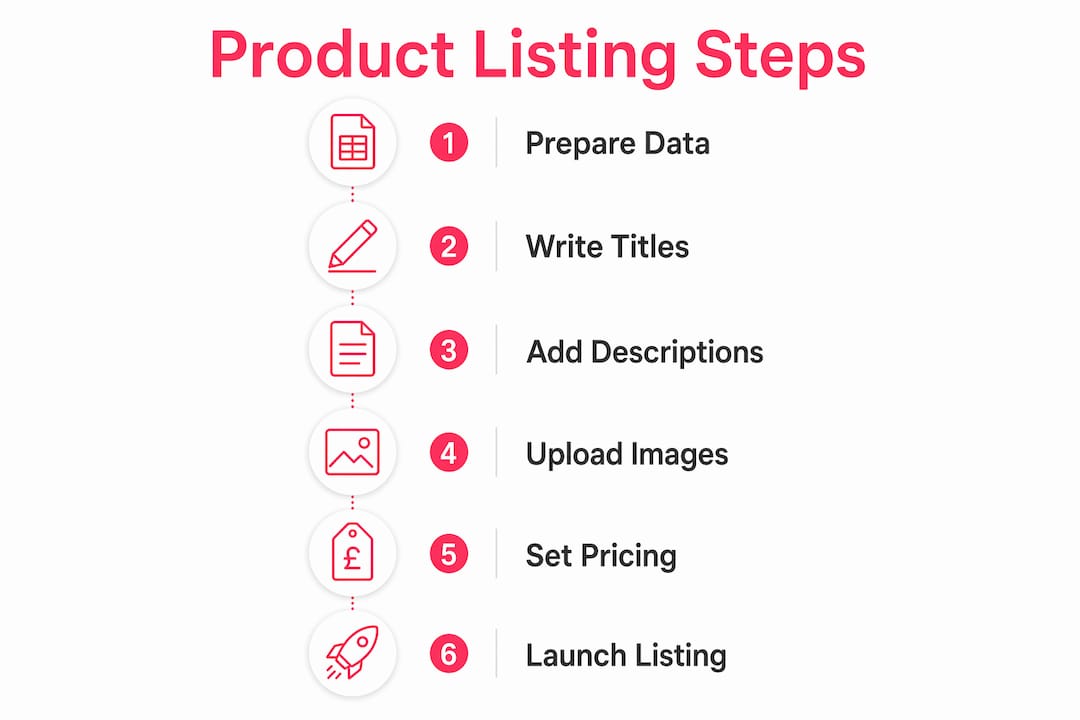
A step by step product listing is the process of systematically preparing and inputting all necessary product information to create an accurate, optimised product page that attracts shoppers and drives sales. In eCommerce, this process covers every element a shopper encounters before buying: the title, images, description, pricing, and stock details. Get any one of these wrong and you lose the sale before the shopper even reaches the checkout. Platforms like Shopify, Amazon Seller Central, and Adobe Commerce each have their own requirements, but the underlying step by step listing process is consistent across all of them. This guide walks you through every stage, from preparation to publishing, with the best practices for product listing that actually move the needle in 2026.
What do you need before starting a step by step product listing?
Preparation is the single biggest factor separating listings that convert from those that sit unseen. Before you touch a platform like Shopify Admin or Amazon Seller Central, gather everything you need in one place.
Here is the core checklist:
- Product identifiers: SKU (your internal reference), GTIN or UPC barcode, and manufacturer part number where applicable.
- Pricing data: Your sale price, RRP or “compare at” price, VAT status, and any tiered pricing for wholesale.
- Stock and logistics: Current stock quantity, product weight (in grams or kilograms), dimensions, and fulfilment method.
- Keyword research: Run your product name through Google Keyword Planner or Amazon’s autocomplete to identify the exact phrases shoppers use. These feed directly into your title and description.
- Photography assets: High-resolution images shot against a white background, plus lifestyle and detail shots ready to upload.
- Platform access: Confirmed login credentials and the correct category tree selected in your chosen platform.
The most overlooked step here is building a documented SOP for the entire process. Sellers who use a standard operating procedure covering pre-listing preparation, photography, data collection, pricing, and publishing report fewer errors and fewer customer complaints. If you manage a team or list products at volume, an SOP is not optional. It is the difference between a consistent catalogue and a chaotic one.
Pro Tip: Create a spreadsheet template with every required field pre-labelled before you open your platform. Fill it offline first, then copy data across. This cuts listing time significantly and prevents half-finished drafts going live.
How do you write a product title that gets found and clicked?

The product title is the single most important field in any listing. It determines where you rank in search results and whether a shopper clicks through. Descriptive, keyword-rich titles achieve up to 36% more organic traffic than vague alternatives. That is a significant gap, and it comes down to structure.
The formula that works across platforms is: Brand + Product Type + Key Attribute + Variant. For example, “Patagonia Men’s Nano Puff Jacket, Black, Medium” outperforms “Men’s Jacket” in every measurable way. It front-loads the brand, states the product type clearly, and includes the attributes a shopper would type into a search bar.
Character limits vary by platform, so you need to tailor accordingly:
| Platform | Recommended title length | Key rule |
|---|---|---|
| Amazon | 150-200 characters | Include brand, size, colour, quantity |
| eBay | Up to 80 characters | Lead with the most searched keyword |
| Shopify | 60-70 characters (for SEO) | Match the H1 to the meta title |
| Google Shopping | 70-150 characters | Front-load product type and brand |
The most common mistake is writing titles for internal logic rather than shopper search behaviour. “SKU-4421 Blue Widget Pro” means nothing to a shopper. “Blue Silicone Cable Organiser, 6-Pack, Desk Tidy” does. Use Google Keyword Planner or Amazon autocomplete to confirm the exact phrasing shoppers use, then build the title around those terms.
Pro Tip: Read your title aloud. If it sounds like a list of keywords rather than a product name, rewrite it. Shoppers and search algorithms both reward clarity.
How to write product descriptions and bullet points that convert
Writing for humans, not search engines, is what separates a description that converts from one that merely exists. The goal is to answer every question a shopper has before they think to ask it: what is it made of, how does it fit, what problem does it solve, and why should I buy it now?
The recommended description length is 150 to 300 words. Longer copy overwhelms mobile shoppers and does not improve conversion rates. Shorter copy leaves objections unanswered. Within that range, structure matters as much as content.
Use this format for maximum impact:
- Opening sentence: State the core benefit in plain language. “This waterproof rucksack keeps your gear dry on 30-litre adventures.”
- 3 to 5 bullet points above the fold: Cover materials, key features, dimensions, and compatibility. Keep each bullet to one line.
- Specifications block: List technical details like weight, materials, certifications, and care instructions in a scannable format.
- Social proof cue: Reference a rating, award, or customer outcome where you have permission to do so.
- Returns and sizing note: For apparel, include model height and size worn to manage expectations and reduce returns. This is one of the most underused tactics in fashion eCommerce.
Avoid writing a description that simply repeats the title with extra words. Every sentence should add information the shopper cannot see from the images alone. If you are selling a kitchen knife, the description should cover blade steel grade, handle material, balance point, and dishwasher safety. Not just “a great knife for cooking.”
Pro Tip: Write the description for your most hesitant shopper, not your most enthusiastic one. Address the objection that would stop a cautious buyer from adding to basket, and you will convert both.
For more on writing eCommerce content that balances SEO with shopper intent, the Bigeyedeers resource library covers this in depth.
What image standards do product listings need to convert?
Images are the closest thing to a physical product experience a shopper gets online. High-resolution images of at least 1000×1000 pixels with white backgrounds are the baseline requirement across Amazon, Google Shopping, and most major marketplaces. Below that threshold, zoom functionality breaks and buyer confidence drops.
Follow this sequence for every product:
- Main image: White background, product centred, no props or text overlays. This is mandatory on Amazon and strongly recommended everywhere else.
- Secondary angles: Front, back, side, and top views where relevant. Shoppers want to see what they cannot touch.
- Detail shots: Close-ups of stitching, connectors, labels, or any feature that differentiates your product from competitors.
- Lifestyle shot: The product in use, in context. A camping stove on a mountain, not on a white table. This shot drives emotional connection and is particularly effective on Shopify storefronts and social commerce channels.
- Scale reference: A shot showing the product next to a common object or on a person, so shoppers understand actual size.
- Video (where supported): A 30 to 60 second product video on Amazon A+ Content or Shopify product pages measurably increases conversion. It does not need to be high production. Clear, well-lit, and informative is enough.
Pro Tip: Name your image files descriptively before uploading. “blue-silicone-cable-organiser-front.jpg” contributes to image SEO. “IMG_4421.jpg” does not. Set a naming convention in your SOP and apply it consistently.
Does pricing and stock data affect cart abandonment?
Yes, directly. 64% of shoppers cite price presentation as a primary factor in their purchase decision on a product page. This means how you display price matters as much as the price itself.
The key fields to get right:
- Sale price: The price the customer pays. Always display this prominently.
- Compare at price: The original or RRP figure shown alongside the sale price. The ‘compare at price’ field visually signals value and is a proven conversion tool. Showing a crossed-out £49.99 next to a current price of £34.99 communicates a saving without a single word of copy.
- Stock quantity: Enter accurate figures. Inaccurate stock causes overselling, which damages trust and triggers negative reviews.
- Urgency messaging: “Only 4 left in stock” is a legitimate conversion tactic when it is true. Platforms like Shopify support this natively. For more on using urgency to increase conversions, the approach applies directly to listing-level tactics.
- Product weight: This is the field most sellers get wrong. Incorrect product weight causes inaccurate shipping cost calculations, which leads to cart abandonment at checkout. Weigh every product before listing. Test the shipping rate calculation before you go live.
How to publish and maintain listings for long-term performance
Publishing is not the end of the process. It is the beginning of an ongoing cycle. Here is the step by step process from draft to active and beyond:
- Review the draft: Check every field against your SOP. Title, description, images, price, weight, and category must all be complete.
- Preview on mobile: Over half of eCommerce traffic is mobile. A listing that looks clean on desktop can break on a small screen. Check it before publishing.
- Set the correct category: Miscategorised products are invisible in browse navigation and can be suppressed by marketplace algorithms. Verify the category tree carefully.
- Publish from draft to active: In Shopify, set the product status to “Active.” In Amazon Seller Central, submit the listing and monitor for suppression errors within 24 hours.
- Audit regularly: Product listings must be audited for completeness, accuracy, and marketplace compliance on a scheduled basis. Marketplace rules change. Competitor activity shifts. Customer feedback reveals gaps. A listing that was accurate six months ago may now be incomplete or non-compliant.
- Update based on data: Use platform analytics to identify listings with high impressions but low click-through rates (title problem), or high clicks but low conversion (description or image problem). Fix the specific field, not the whole listing.
Pro Tip: Schedule a quarterly listing audit in your calendar now. Block two hours, pull your lowest-converting products, and apply the checklist from this guide. Most underperforming listings have one fixable problem, not ten.
Key takeaways
A product listing converts when every field, from title to weight, is accurate, complete, and written for the shopper first and the search engine second.
| Point | Details |
|---|---|
| Prepare before you list | Gather SKUs, GTINs, pricing, images, and keyword research before opening your platform. |
| Titles drive traffic | Descriptive, keyword-rich titles generate up to 36% more organic traffic than vague alternatives. |
| Descriptions answer objections | Write 150 to 300 words focused on benefits, materials, and sizing to reduce returns and increase conversions. |
| Images build buyer confidence | Use high-resolution images (minimum 1000x1000px) with white backgrounds, multiple angles, and lifestyle shots. |
| Pricing and weight are critical | Accurate compare-at pricing and correct product weight prevent cart abandonment at checkout. |
Why most listing problems are actually process problems
I have reviewed hundreds of product catalogues across Shopify and Magento stores over the years, and the pattern is almost always the same. The listings that underperform are not failing because of bad products. They are failing because the person who created them did not have a clear process to follow.
The most common scenario: a store manager lists 200 products in a rush before a launch, skips the weight field because it seems minor, and then spends three months wondering why the checkout abandonment rate is so high. The fix takes ten minutes once you know where to look. The damage takes months to undo.
What I have found actually works is treating every listing as a mini landing page. The title is your headline. The images are your hero section. The description is your copy. The price and urgency messaging are your call to action. When you approach it that way, the quality of each field improves naturally because you are thinking about the shopper’s journey, not just filling in a form.
The other thing I would push back on is the idea that SEO and shopper-centric writing are in tension. They are not. The best titles and descriptions I have seen rank well and convert well because they use the language real shoppers use. Google and Amazon both reward relevance, and relevance means matching what a shopper types with what they find on the page.
Build the SOP. Follow the process. Audit quarterly. The stores that do this consistently outperform those that treat listings as a one-time task.
— Steve
How Bigeyedeers can help you build listings that perform

At Bigeyedeers, we work with growing and enterprise retail brands across Shopify and Magento to build product catalogues that are accurate, optimised, and built for conversion. Whether you are migrating thousands of SKUs to a new platform, setting up a Shopify store from scratch, or tackling a Magento catalogue with complex variants and tiered pricing, our team has the experience to get it right. We have spent over 17 years helping online stores improve visibility and sales through better platform architecture and smarter content strategy. If your listings are not performing, talk to our team and we will tell you exactly where the gaps are.
FAQ
What is a product listing in eCommerce?
A product listing is a dedicated page or entry on an eCommerce platform that presents all information about a product, including its title, images, description, price, and stock status, to help shoppers make a purchase decision.
How long should a product description be?
The recommended length is 150 to 300 words. Descriptions longer than 300 words tend to overwhelm mobile shoppers without improving conversion rates.
Why does product weight matter on a listing?
Incorrect or missing product weight causes inaccurate shipping cost calculations, which leads to cart abandonment at checkout. Always weigh products accurately and test shipping rates before publishing.
How often should I update my product listings?
Audit listings at least quarterly. Marketplace rules change, competitor activity shifts, and customer feedback often reveals gaps in descriptions or images that reduce conversion over time.
What is the ‘compare at price’ field used for?
The compare at price field displays the original or RRP price alongside the current sale price, visually communicating a saving to the shopper. It is one of the most effective conversion tools available natively in platforms like Shopify.
Recommended



Adobe Commerce (Magento)
Formerly known as Magento, Adobe Commerce is built for complex catalogues, integrations, and long term growth. We design and develop stable, scalable stores that support demanding eCommerce requirements, including multi-store setups, complex pricing, and Hyva based performance improvements.

Bespoke Build
We design and build custom eCommerce platforms for businesses with complex workflows, integrations, or non standard requirements. Built from scratch around your business needs using Laravel and modern architectures.

Working with brands across the UK from our offices in Cardiff and Exeter, you deal directly with a senior team of designers and developers specialising in Shopify, Magento, WordPress and bespoke eCommerce platforms.
We focus on commercial outcomes. Better conversion rates, strong SEO foundations and eCommerce platforms that continue to improve long after launch.