Scalable Website Design Cuts Redesign Time by 40% for UK Ecommerce

As your Magento or Shopify store grows, website performance often deteriorates. Pages load slower, updates become complex, and redesigns consume months of resources. A scalable website design process solves these challenges by building modular, flexible systems that maintain speed and reduce future redesign time. This guide walks you through the prerequisites, practical steps, common pitfalls, and measurable outcomes to achieve lasting ecommerce growth.
Table of Contents
- Prerequisites: Tools, Knowledge, And Initial Conditions
- Step 1: Planning With Modular UX And Tools
- Step 2: Design System And Modular Components
- Step 3: Performance Optimization Techniques
- Step 4: Security And Compliance Management
- Common Mistakes And Troubleshooting
- Expected Timelines And Outcomes
- Partner With Big Eye Deers For Scalable Magento & Shopify Design
- FAQ
Key Takeaways
| Point | Details |
|---|---|
| Modular design systems | Reusable components reduce frontend redesign time by up to 40% during scaling. |
| Performance architectures | Hyvä or headless frontends increase site speed by up to 50%, improving customer experience. |
| Security foundations | Real-time monitoring and PCI compliance cut downtime risks by over 70%. |
| Growth support tools | Klaviyo and Klevu maintain engagement and conversion as traffic increases. |
| Implementation timeline | Expect 3 to 6 months for full deployment with measurable performance gains. |
Prerequisites: Tools, Knowledge, and Initial Conditions
Before building a scalable design process, establish your foundation. You need the right tools, platform knowledge, and baseline metrics.
Essential tools and knowledge:
- UI/UX design platforms like Figma for creating modular component libraries and wireframes
- Working knowledge of Magento or Shopify architecture, including theme structures and extension ecosystems
- Current site performance metrics such as page load times, bounce rates, and conversion data
- Clear ecommerce growth goals including projected traffic, product catalogue expansion, and new market entry
- Security baseline assessment covering PCI compliance status and existing monitoring capabilities
Your step by step web design process for ecommerce sites must start with these fundamentals. A solid understanding of Magento or Shopify architecture is critical before scaling design processes.
Without these prerequisites, you risk building systems that cannot adapt. Document your current site metrics now. Identify performance bottlenecks, security gaps, and user experience issues. This baseline becomes your benchmark for measuring improvement.
Establish realistic growth projections. Will you add 500 products or 5,000? Will traffic double or increase tenfold? These answers shape your design system scope and infrastructure requirements.
Pro tip: Audit your existing design assets before starting. You may already have reusable components that can seed your new system, saving weeks of design time.
With these prerequisites clarified, you can now proceed to the first practical step: modular UX planning using planning ecommerce projects for Magento and Shopify methodologies.
Step 1: Planning with Modular UX and Tools
Modular planning transforms rigid designs into flexible systems. Instead of creating unique layouts for every page, you build reusable patterns that adapt across your store.
Core planning activities:
- Map user journeys focusing on common pathways like product discovery, checkout, and account management
- Identify recurring UI patterns such as product cards, navigation menus, and call-to-action blocks
- Create a component inventory documenting each reusable element with usage rules
- Define responsive breakpoints ensuring mobile, tablet, and desktop consistency
- Set performance budgets for page weight, load time, and time to interactive metrics
- Establish security requirements including SSL, payment gateway compliance, and data handling protocols
Early performance and security goal setting is vital for scalable ecommerce design. Without clear targets, you cannot measure success or prioritize optimization work.
Your design system should support creating scalable ecommerce sites for growth by anticipating future needs. Plan for catalogue expansion, new payment methods, and international markets from day one.
Use Figma or similar tools to create shared libraries. This centralizes your component source and enables team collaboration. Developers can reference designs directly, reducing miscommunication and rework.
Pro tip: Document design decisions in your Figma files. Future team members need context about why certain patterns exist and when to use alternatives.
Having set your prerequisites, this planning phase lays the foundation for a scalable design architecture implemented next.
Step 2: Design System and Modular Components
Your design system is the single source of truth for UI components. It ensures consistency, accelerates development, and makes updates manageable at scale.
Building an effective design system:
- Start with atomic elements like buttons, form fields, and typography styles
- Combine atoms into molecules such as search bars and product cards
- Assemble organisms including headers, product grids, and checkout forms
- Create page templates that demonstrate component usage in context
- Document component behavior, accessibility requirements, and code snippets
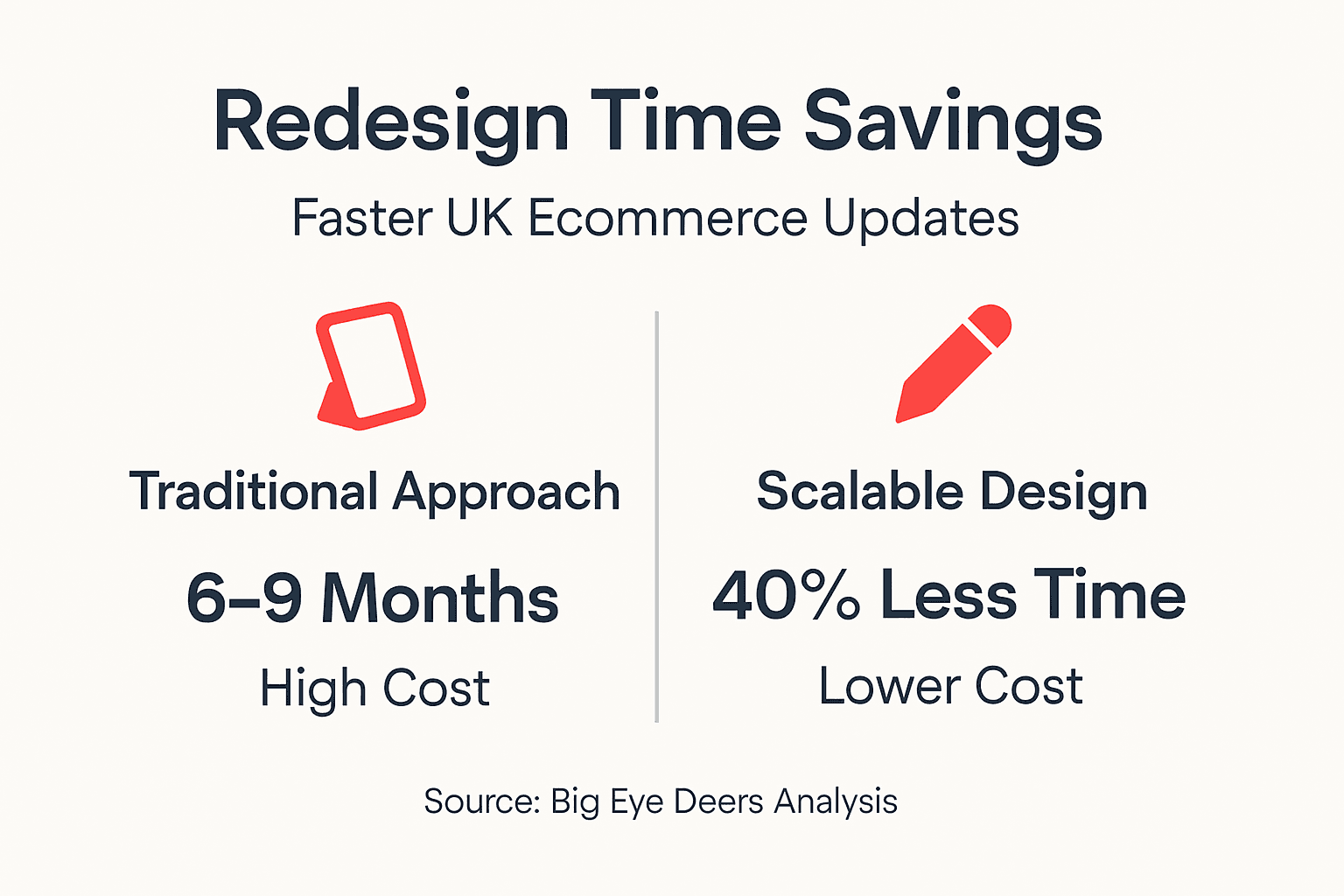
Implementing a component-based design system reduces frontend redesign time by up to 40% during ecommerce website scaling. This efficiency compounds over time as your catalogue and feature set expand.

Maintain cross-platform consistency between Magento and Shopify if you operate multiple stores. Shared component libraries ensure customers receive identical experiences regardless of backend platform.
Regularly update your design system with new patterns. When you add features like wishlists or subscriptions, document the new components immediately. Outdated documentation creates confusion and duplicate work.
| Approach | Redesign Time | Cost | Consistency |
|---|---|---|---|
| Traditional | 6-9 months | High | Variable |
| Modular System | 3-5 months | Medium | High |
Pro tip: Version your design system like software. When making breaking changes to components, increment version numbers and provide migration guides for developers.
With a modular plan in place, you now build the system and components that deliver scalable efficiency and speed through scalable ecommerce site creation techniques.
Step 3: Performance Optimization Techniques
Scalable design means nothing if your store cannot handle traffic. Performance optimization keeps your site fast as complexity grows.
Key optimization strategies:
- Adopt Hyvä or headless frontend architectures for Magento stores to eliminate legacy theme overhead
- Implement full-page caching with Varnish or similar solutions to reduce server load
- Use CDNs to serve static assets from edge locations near customers
- Compress and lazy-load images to minimize initial page weight
- Defer non-critical JavaScript to prioritize above-the-fold rendering
- Monitor performance continuously with tools like New Relic or Google Analytics
Use of Hyvä or headless architectures can increase ecommerce site speed by up to 50%. This improvement directly impacts conversion rates, with faster sites consistently outperforming slower competitors.
Your web design steps focused on performance must include regular testing under realistic conditions. Simulate traffic spikes during sales events to identify bottlenecks before customers encounter them.
Optimize images aggressively. Large product images often constitute 60-70% of page weight. Use modern formats like WebP, implement responsive images, and compress without visible quality loss.
Cache strategically. Not every page can be fully cached, but product listings, category pages, and content pages should serve cached versions to most visitors. Personalization and cart data require selective cache exclusions.
After establishing modular components, optimizing performance ensures your scalable design handles growth smoothly.
Step 4: Security and Compliance Management
Security cannot be an afterthought. Protecting customer data and maintaining PCI compliance are non-negotiable requirements for any ecommerce store.
Essential security practices:
- Maintain PCI DSS compliance through regular audits and vulnerability assessments
- Implement real-time monitoring with tools like Sansec to detect malware and suspicious activity
- Prevent supply chain attacks by vetting all third-party extensions and monitoring code changes
- Use Web Application Firewalls to block common attack vectors
- Enforce secure data handling throughout design changes and platform updates
- Plan incident response procedures before breaches occur
Real-time monitoring and PCI compliance significantly reduce downtime risks and security breaches. Proactive detection allows you to address threats before they impact customers or compromise payment data.
“Security is not a one-time project but an ongoing commitment that must evolve with your ecommerce platform and threat landscape.”
Your website security tips from Big Eye Deers emphasize prevention over reaction. Configure automated scanning, maintain update schedules, and review access controls regularly.
Plan for the worst. Document breach response procedures, maintain secure backups, and establish communication protocols for notifying customers and authorities if incidents occur.
Once performance is optimized, robust security practices protect your scalable site as it grows.
Common Mistakes and Troubleshooting
Avoid these frequent pitfalls that derail ecommerce scaling projects and compromise performance gains.
Critical mistakes to prevent:
- Neglecting mobile responsiveness by designing desktop-first without mobile testing
- Underestimating backend infrastructure needs as traffic and catalogue size increase
- Skipping continuous performance monitoring after initial optimization
- Ignoring security updates and patch management for platform and extensions
- Failing to document design decisions and component usage guidelines
- Overcomplicating the design system with too many component variations
Over 50% of ecommerce site scaling failures stem from neglecting mobile responsiveness, backend capacity, and performance monitoring. Mobile now accounts for the majority of ecommerce traffic, making responsive design essential rather than optional.
Monitor backend capacity proactively. Database queries slow as catalogues grow. Server resources strain under traffic spikes. Plan infrastructure scaling before problems emerge, not after customers report issues.
Test continuously. Performance degrades gradually through small changes that individually seem harmless. Regular testing catches regressions before they accumulate into major problems.
Prepare fallback plans for security incidents. Know how to quickly disable compromised extensions, revert to clean code, and communicate with customers during recovery.
Pro tip: Maintain a staging environment that mirrors production. Test all changes, extensions, and updates in staging before deploying to live customers.
Consider ecommerce consulting for Magento when facing complex scaling challenges. Expert guidance prevents costly mistakes and accelerates implementation.
By understanding common mistakes, you safeguard your scalable website from costly failures encountered during growth.
Expected Timelines and Outcomes
Set realistic expectations for implementing a scalable design process and the measurable benefits you will achieve.
Implementation timeline:
Typical deployment spans 3 to 6 months depending on store complexity, existing technical debt, and team resources. Initial planning and design system creation consume 4 to 8 weeks. Performance optimization and security integration require another 6 to 10 weeks. Testing and refinement add 2 to 4 weeks before full production deployment.
Measurable outcomes:
| Metric | Improvement | Timeline |
|---|---|---|
| Site Speed | Up to 50% faster | 3-4 months |
| Conversion Rate | ~25% increase | 4-6 months |
| Redesign Time | 40% reduction | Ongoing |
| Downtime Risk | 70% decrease | 2-3 months |
Site speed improvements materialize within 3 to 4 months of implementing Hyvä or headless architectures. Faster pages immediately reduce bounce rates and improve user satisfaction.
Conversion rate increases take longer, typically 4 to 6 months, as you accumulate data and refine user experience based on behavior patterns. The 25% improvement represents the median gain observed across similar ecommerce implementations.
Redesign time reductions appear during your first major update cycle. Instead of rebuilding entire page templates, you update components once and changes propagate throughout the site.
Downtime risk decreases within 2 to 3 months as monitoring systems detect issues and security measures prevent breaches. This reliability builds customer trust and protects revenue during peak trading periods.
With troubleshooting covered, this section quantifies the real benefits and timeline you can expect from implementing the process.
Partner with Big Eye Deers for Scalable Magento & Shopify Design
Big Eye Deers specializes in building scalable ecommerce platforms for UK retail brands. Our 17 years of experience across Magento and Shopify enable us to deliver design systems that grow with your business.

We combine UX planning in Figma with performance-focused development using Hyvä frontends and headless architectures. Our Shopify design and development services and Magento web design services in the UK include ongoing support, security monitoring with Sansec, and lifecycle marketing with Klaviyo.
Whether you need custom catalogues, tiered pricing, or ERP integrations, Big Eye Deers ecommerce agency delivers complex solutions that support both DTC and wholesale models. Contact us to discuss how scalable design can transform your online store.
FAQ
What is a scalable website design process?
A scalable design process focuses on modular components, performance optimization, robust security, and growth support. It enables ecommerce stores to handle expansion without sacrificing speed or user experience, making updates faster and less complex.
How long does it typically take to implement a scalable design for Magento or Shopify stores?
Implementation typically requires 3 to 6 months depending on store complexity and available resources. This timeline includes planning, design system creation, performance optimization, and security integration.
What are common mistakes to avoid when scaling ecommerce websites?
Neglecting mobile responsiveness, underestimating backend capacity, and skipping performance monitoring account for over 50% of scaling failures. Ignoring security compliance can lead to breaches, downtime, and loss of customer trust.
How does a modular design system reduce redesign time?
Reusable components allow you to update designs without rebuilding entire user interfaces from scratch. This approach results in up to 40% less frontend redesign time during scaling and feature additions.
How can marketing tools support scalable ecommerce sites?
Tools like Klaviyo enable lifecycle marketing automation while Klevu provides intelligent product search and merchandising. These platforms help maintain user engagement and increase conversion rates as your store scales and traffic grows.
Recommended



Adobe Commerce (Magento)
Formerly known as Magento, Adobe Commerce is built for complex catalogues, integrations, and long term growth. We design and develop stable, scalable stores that support demanding eCommerce requirements, including multi-store setups, complex pricing, and Hyva based performance improvements.

Bespoke Build
We design and build custom eCommerce platforms for businesses with complex workflows, integrations, or non standard requirements. Built from scratch around your business needs using Laravel and modern architectures.

Working with brands across the UK from our offices in Cardiff and Exeter, you deal directly with a senior team of designers and developers specialising in Shopify, Magento, WordPress and bespoke eCommerce platforms.
We focus on commercial outcomes. Better conversion rates, strong SEO foundations and eCommerce platforms that continue to improve long after launch.