How to Optimise Online Store UX for Higher Conversions

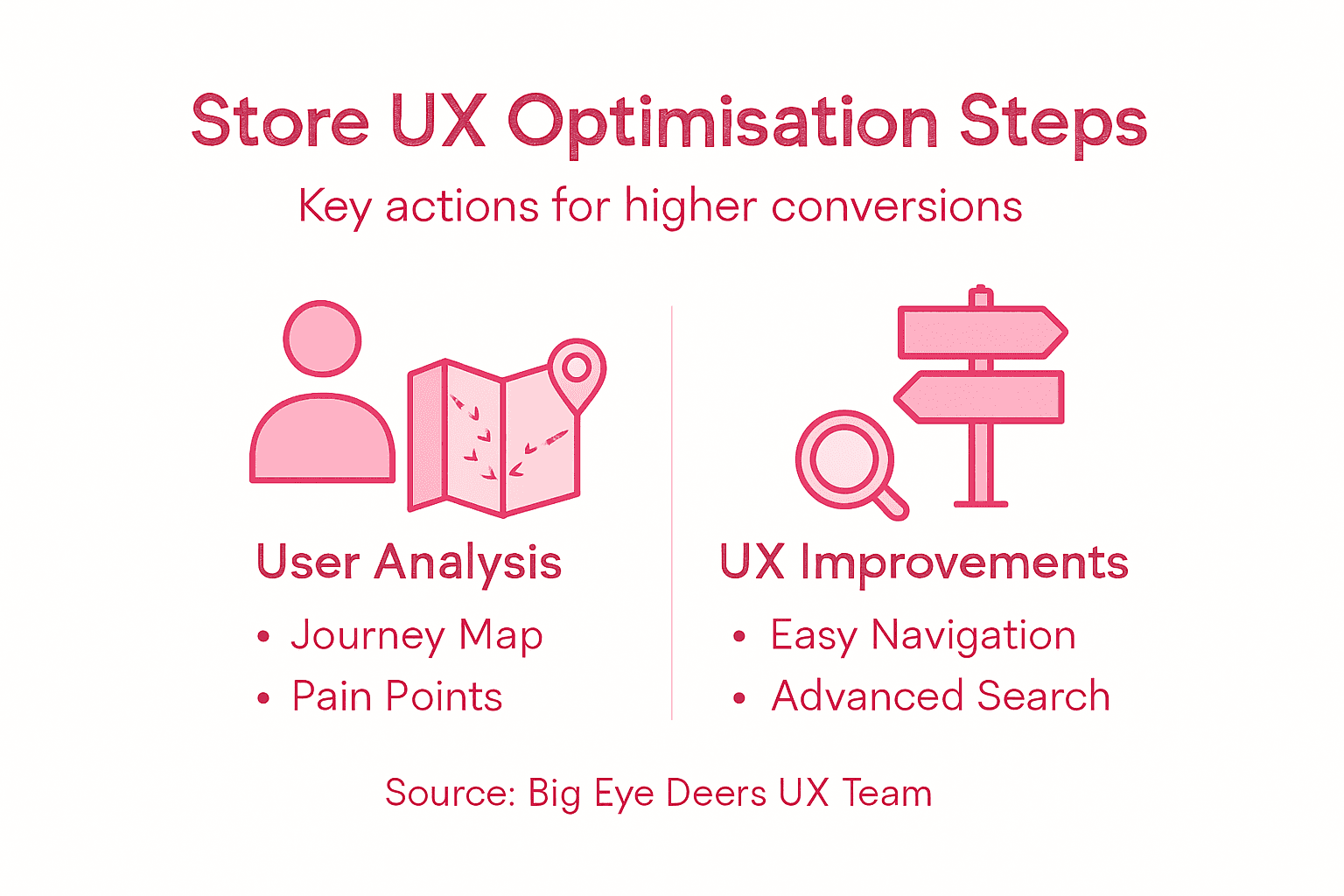
Every Ecommerce manager knows the frustration when promising traffic fails to convert on a British Magento or Shopify store. Focusing on user experience surveys, journey mapping, and navigation redesign can reveal where customers hesitate and what drives them to drop off. Addressing specific pain points not only increases conversion rates but also builds customer loyalty, giving your brand an edge in a competitive United Kingdom retail market.
Table of Contents
- Step 1: Assess Current User Experience And Identify Pain Points
- Step 2: Map Key User Journeys With Figma And Set Goals
- Step 3: Redesign Layouts And Interfaces To Simplify Navigation
- Step 4: Integrate Advanced Search And Merchandising Tools
- Step 5: Test User Flows And Gather Actionable Feedback
- Step 6: Monitor Performance And Maintain Security Protocols
Quick Summary
| Key Insight | Explanation |
|---|---|
| 1. Assess User Experience | Conduct thorough research to identify pain points affecting user journey and conversions. |
| 2. Map User Journeys | Create detailed journey maps in Figma to visualise and improve the customer experience. |
| 3. Simplify Navigation | Redesign layout using intuitive navigation principles to enhance usability and reduce friction. |
| 4. Enhance Search Functionality | Implement advanced search tools to improve product discoverability and customer satisfaction. |
| 5. Conduct Regular Testing | Systematically test user flows and gather feedback for continuous improvement of the shopping experience. |
Step 1: Assess current user experience and identify pain points
Understanding your online store’s user experience is critical for improving conversion rates. By systematically measuring user experience aspects, you can pinpoint precisely where customers struggle and develop targeted improvements.
To effectively assess your current user experience, begin with comprehensive research methods that reveal genuine customer perspectives. Start by collecting quantitative and qualitative data through multiple channels:
- Web analytics to track user behaviour and drop-off points
- Customer surveys targeting recent purchasers and abandoned cart users
- Heatmap and session recording tools to visualise real user interactions
- Direct user interviews to understand emotional and functional pain points
- Usability testing with representative target audience members
The goal is to create a holistic view of your current user journey. User experience questionnaires can help measure specific dimensions like efficiency, attractiveness, and dependability. Focus on identifying friction points that might discourage potential customers from completing purchases.

Here’s a concise overview of common pain points and their impact on online store conversions:
| Pain Point | Typical Cause | Impact on Conversion |
|---|---|---|
| Complex navigation | Poor menu structure | Users abandon sessions |
| Slow page load times | Unoptimised images/scripts | Higher bounce rates |
| Lengthy checkout process | Excessive form fields | Increased cart abandonment |
| Unclear product info | Lack of detail or images | Reduced purchase intent |
| Ineffective search tools | Limited filtering or search logic | Product not found easily |
Key areas to investigate include website navigation, product search functionality, checkout process, mobile responsiveness, and overall site performance. Look for specific indicators such as high bounce rates, low time-on-page, and abandoned cart percentages.
Collecting data is only the first step – the real value comes from transforming insights into actionable improvements.
Expert suggestion: Always triangulate your findings by comparing data from multiple research methods to ensure comprehensive and accurate insights.
Step 2: Map key user journeys with Figma and set goals
Creating comprehensive user journey maps is essential for understanding how customers interact with your online store. By mapping user experiences systematically, you can uncover critical insights that drive meaningful UX improvements.
To effectively map user journeys in Figma, follow these strategic steps:
- Identify primary user personas representing different customer segments
- Define key user objectives for each persona’s typical shopping experience
- Sketch initial journey flows showing touchpoints and interactions
- Annotate emotional states and potential friction points along the journey
- Collaborate with cross-functional teams to validate journey assumptions
Collaborative mapping techniques help visualise how different service components connect, creating a holistic view of the user experience. Break down each journey into specific stages:
- Awareness: How do users discover your online store?
- Consideration: What information helps them evaluate products?
- Decision: What influences their purchasing choice?
- Purchase: How smooth is your checkout process?
- Post-purchase: What support or follow-up experience do they receive?
Effective user journey mapping transforms abstract user interactions into concrete, actionable design improvements.
Expert suggestion: Use colour-coding and sticky notes in Figma to quickly distinguish different user emotions and interaction points during journey mapping.
Step 3: Redesign layouts and interfaces to simplify navigation
Redesigning your online store’s layout is crucial for creating an intuitive and user-friendly shopping experience. By implementing thoughtful navigation principles, you can significantly reduce user friction and improve overall conversion rates.
Focus on creating a clean, logical interface that guides users effortlessly through their shopping journey. Key design considerations include:
- Consistent menu structure across all pages
- Clear visual hierarchy that highlights important elements
- Intuitive search functionality with predictive suggestions
- Minimalist navigation reducing cognitive load
- Responsive design that works seamlessly across devices
Effective navigation strategies involve multiple complementary approaches. Implement these critical elements:
- Use clear, descriptive menu labels
- Create breadcrumb navigation for complex site structures
- Develop a prominent search bar with intelligent filtering
- Ensure key categories are immediately visible
- Use visual cues to indicate current page location
Simplifying navigation is not about reducing options, but about making choices crystal clear and accessible.
Expert suggestion: Conduct regular user testing and heat map analysis to continuously refine your navigation design and identify potential improvement areas.
Step 4: Integrate advanced search and merchandising tools
Transforming your online store’s search functionality is crucial for improving user experience and driving conversions. By implementing sophisticated search capabilities, you can significantly enhance product discoverability and customer satisfaction.
Advanced search and merchandising tools offer multiple powerful features to streamline your customers’ shopping experience:
- Autocomplete suggestions that predict user intent
- Semantic search capabilities understanding natural language queries
- Intelligent filtering options for precise product selection
- Personalised product recommendations
- Machine learning algorithms that continuously improve results
AI-powered search technologies require strategic implementation. Follow these key steps:
Use this table to compare traditional and AI-powered search strategies in e-commerce:
| Search Approach | User Experience Benefit | Business Value |
|---|---|---|
| Traditional | Basic results, manual input | Limited conversions |
| AI-powered | Personalised, predictive | Increased sales |
| Semantic | Natural language queries | Better product match |
- Audit your current product data quality
- Define clear search performance metrics
- Select a robust search and merchandising platform
- Configure advanced search algorithms
- Test and continuously refine search functionality
Effective search tools transform browsing from a frustrating experience into an intuitive journey of discovery.
Expert suggestion: Regularly analyse search analytics to understand user behaviour and iteratively improve your search functionality.
Step 5: Test user flows and gather actionable feedback
Validating your online store’s user experience requires systematic and strategic testing approaches. By conducting comprehensive usability testing, you can uncover critical insights that directly impact conversion rates and customer satisfaction.
Effective user flow testing involves multiple complementary research methods:
- Moderated user testing with live participant observations
- Unmoderated remote testing for broader participant reach
- Heuristic evaluation by UX professionals
- A/B testing of different interface variations
- Prototype usability assessments
UI/UX testing methodologies require careful planning and execution. Follow these structured steps:
- Define clear testing objectives
- Recruit representative user segments
- Develop realistic task scenarios
- Capture quantitative and qualitative feedback
- Analyse results and prioritise improvements
User testing transforms abstract design assumptions into concrete, data-driven insights.
Expert suggestion: Record user testing sessions to review nuanced interactions and capture subtle behavioural cues that might be missed during live observations.
Step 6: Monitor performance and maintain security protocols
Protecting your online store requires a comprehensive approach to digital security and performance management. By understanding critical security risks, you can implement robust protocols that safeguard your business and customer data.
Key security and performance monitoring strategies include:
- Regular vulnerability scanning across your entire digital infrastructure
- Continuous access control management
- Real-time threat detection systems
- Performance monitoring dashboards
- Automated security patch management
Cyber security core standards recommend implementing these essential protocols:
- Establish baseline security metrics
- Configure automated monitoring tools
- Create incident response procedures
- Conduct periodic security assessments
- Train staff on current security practices
Security is not a one-time implementation but an ongoing commitment to protecting your digital ecosystem.
Expert suggestion: Schedule monthly comprehensive security reviews to ensure your protocols remain current with emerging digital threat landscapes.
Enhance Your Online Store UX with Big Eye Deers
Optimising your online store’s user experience is essential to overcome challenges such as complex navigation, slow search results, and security concerns highlighted in the article “How to Optimise Online Store UX for Higher Conversions”. We understand these critical pain points and transform them into opportunities for growth by applying proven UX mapping techniques in Figma, implementing advanced search tools like Klevu, and maintaining robust security with Sansec.

Partner with Big Eye Deers to elevate your ecommerce platform using our expertise in Magento and Shopify solutions tailored for both DTC and wholesale models. Discover how our design and performance centred approach can simplify navigation, boost product discoverability, and secure your store. Start your journey toward higher conversions today by visiting our landing page and exploring how we deliver seamless user journeys and lasting commercial growth.
Frequently Asked Questions
How can I assess the current user experience on my online store?
Assess the current user experience by collecting both quantitative and qualitative data, such as web analytics, customer surveys, and heatmap tools. Start by identifying common pain points where users struggle, such as complex navigation or slow page load times, and target these areas for improvement within 30 days.
What steps should I take to map user journeys in my online store?
Begin by identifying primary user personas and defining their key objectives during the shopping experience. Then, sketch initial journey flows highlighting touchpoints and potential friction points, collaborating with your team to validate these assumptions over the next few weeks.
How can I redesign my online store layout to improve navigation?
Redesign your online store by creating a clean and logical interface that emphasises intuitive navigation. Implement consistent menu structures and clear visual hierarchy, aiming to reduce user friction by roughly 20% within the first few iterations.
What advanced search features should I integrate into my online store?
Integrate advanced search features like autocomplete suggestions and intelligent filtering to enhance product discoverability for your users. Focus on implementing these features as part of a broader strategy to improve user satisfaction and conversion rates, starting within the next quarter.
How do I conduct usability testing on my online store’s user flows?
Conduct usability testing by defining clear objectives and recruiting representative users to perform realistic tasks. Capture both quantitative and qualitative feedback, then analyse the results to pinpoint areas for improvement and implement changes within 30–60 days.
What security protocols should I maintain for my online store?
Establish comprehensive security protocols by regularly scanning for vulnerabilities and implementing real-time threat detection systems. Schedule monthly security reviews to ensure that your protocols remain robust and are adapted to any emerging threats.
Recommended


Adobe Commerce (Magento)
Formerly known as Magento, Adobe Commerce is built for complex catalogues, integrations, and long term growth. We design and develop stable, scalable stores that support demanding eCommerce requirements, including multi-store setups, complex pricing, and Hyva based performance improvements.

Bespoke Build
We design and build custom eCommerce platforms for businesses with complex workflows, integrations, or non standard requirements. Built from scratch around your business needs using Laravel and modern architectures.

Working with brands across the UK from our offices in Cardiff and Exeter, you deal directly with a senior team of designers and developers specialising in Shopify, Magento, WordPress and bespoke eCommerce platforms.
We focus on commercial outcomes. Better conversion rates, strong SEO foundations and eCommerce platforms that continue to improve long after launch.