AI in Context: Using ChatGPT Atlas in Magento and Shopify Workflows
AI is most useful when it understands context. ChatGPT Atlas works inside your browser, alongside the tools ecommerce teams already use. That includes Shopify and Magento admin, CMS editors, analytics, and documentation. The goal is simple. Reduce switching, reduce errors, and speed up routine decisions.
Atlas does not replace teams. It supports them by working on the page being edited, reviewed, or checked. Below is how we use Atlas in context at Big Eye Deers.
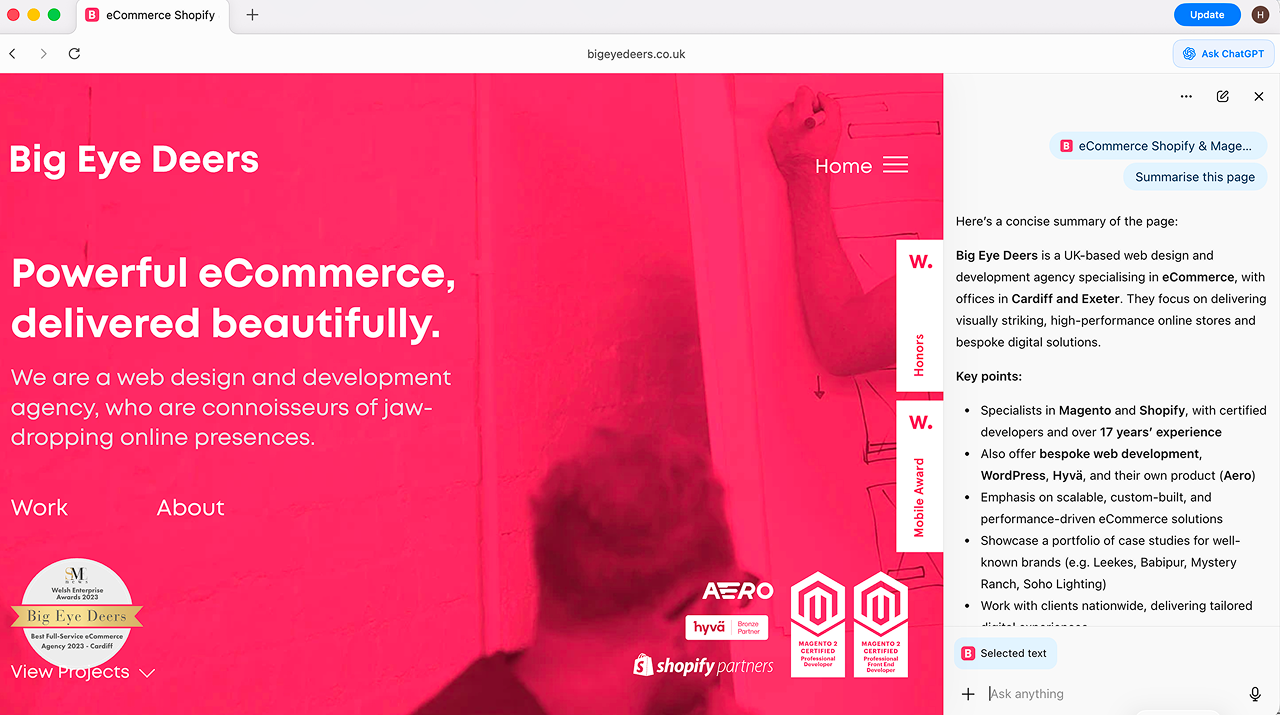
What “AI in context” means
Most AI tools require you to leave the task, explain the setup, paste content, then move results back again. Atlas works differently. You ask questions directly on the page you are working on. The assistant can reference the visible content, structure, and settings.
This works well for product copy, metadata, comparisons, QA notes, research, and understanding unfamiliar admin settings.
How ChatGPT Atlas supports day to day store work
1) Product copy inside admin
Draft or refine product descriptions directly in Shopify or Magento. Tone, keywords, and structure can be adjusted without leaving the admin screen.
2) Review summaries with clear outputs
Select customer reviews and ask Atlas to extract themes such as fit, sizing, delivery, and quality. Use the output to update PDP copy or FAQs.
3) Competitor checks on screen
Open competitor product pages and request a simple comparison covering price, delivery, returns, and key selling points.
4) SEO updates in place
Rewrite meta titles and descriptions to correct length and intent. Identify duplicated or thin content from the page you are already viewing.
5) Admin and setting explanations
Ask for plain language explanations of unfamiliar settings before changing them. Useful for theme options, checkout rules, and app behaviour.
A workflow we recommend
- Define guardrails
Create prompts that include brand tone, restricted phrases, reading level, and claims guidance. - Use drafts or staging
Apply Atlas in draft or staging environments. Keep approvals for live changes. - Review all outputs
Every AI generated change should be checked for accuracy, tone, and compliance. - Record changes
Ask Atlas to generate a short changelog entry covering what changed and why.
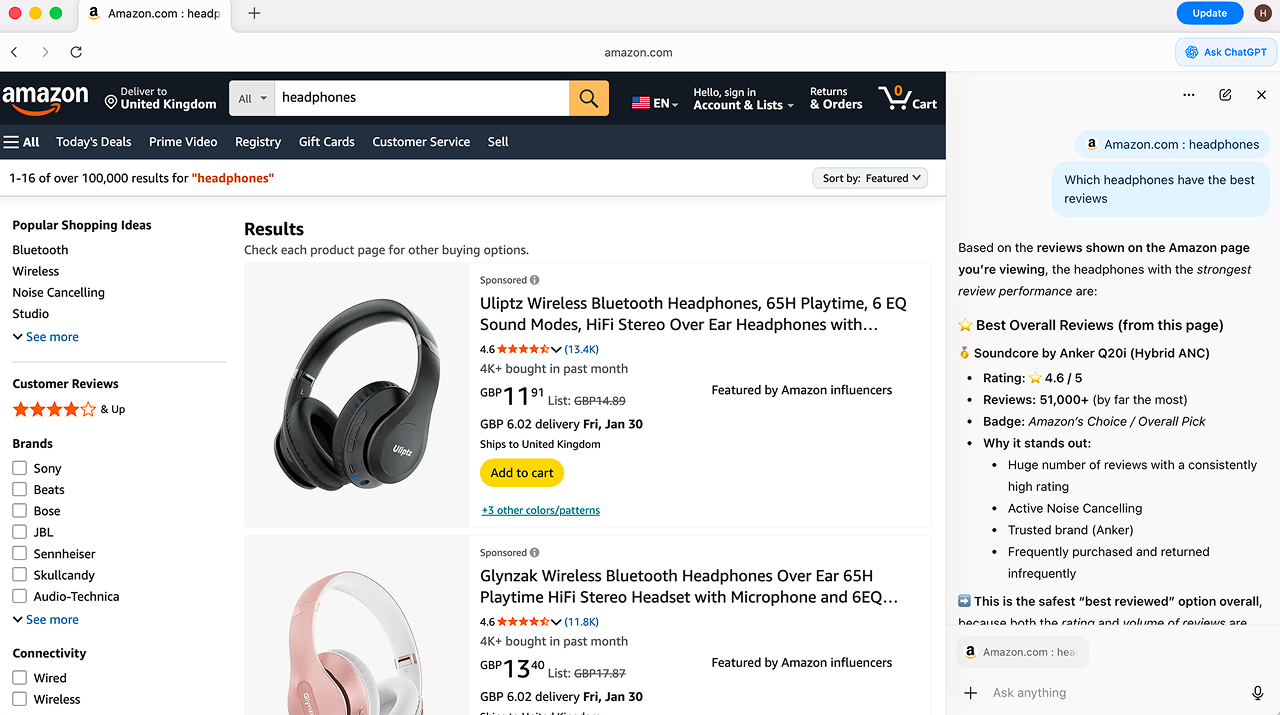
From research to planning
Atlas can be used to review multiple competitor stores in one session. Ask it to summarise navigation, filters, checkout steps, and pricing layout. Use agent mode to collect screenshots and notes into a single document. This supports faster audits and clearer internal discussions.
Content work for marketing teams
Atlas allows copy updates directly inside CMS editors. For example, highlight a blog intro in Shopify and request a shorter version or keyword adjustment. Editors can then refine the output before publishing.
Testing and QA support
- Generate test cases from tickets or user stories.
- Explain differences between staging and live environments.
- Summarise errors with steps to reproduce.
- Create clear issue notes to support faster fixes.
Manual review remains essential for accessibility, payments, and security related changes.
What to measure
- Time saved per task.
- Reduction in missed fields or broken links.
- Improvement in readability and reduced duplication.
- Output per sprint, such as SKUs updated or issues closed.
Common questions
Will this change our brand voice?
Not if prompts define tone and restrictions, and outputs are reviewed before publishing.
Is it safe for live edits?
Treat it like any editorial tool. Draft first, approve before going live.
Does this require platform changes?
No. Atlas works alongside existing platforms. Value comes from clearer workflows and cleaner data.
- Set up Atlas permissions and prompt libraries.
- Train teams across product, marketing, and QA.
- Create reusable templates for audits and checks.
- Track impact across time saved and output.
Bottom line:
Atlas works best when used where work already happens. Clear context leads to faster decisions and fewer errors.



Adobe Commerce (Magento)
Formerly known as Magento, Adobe Commerce is built for complex catalogues, integrations, and long term growth. We design and develop stable, scalable stores that support demanding eCommerce requirements, including multi-store setups, complex pricing, and Hyva based performance improvements.

Bespoke Build
We design and build custom eCommerce platforms for businesses with complex workflows, integrations, or non standard requirements. Built from scratch around your business needs using Laravel and modern architectures.

Working with brands across the UK from our offices in Cardiff and Exeter, you deal directly with a senior team of designers and developers specialising in Shopify, Magento, WordPress and bespoke eCommerce platforms.
We focus on commercial outcomes. Better conversion rates, strong SEO foundations and eCommerce platforms that continue to improve long after launch.