Optimise your mobile commerce setup workflow for higher sales
TL;DR:
- Mobile traffic in the UK is high, but conversion rates remain low due to various friction points.
- Simplifying checkout, improving site speed, and integrating mobile wallets can significantly boost sales.
- Focusing on core metrics and iterative testing helps retailers improve mobile commerce performance effectively.
Mobile traffic is booming across UK retail, yet the sales figures often tell a different story. Over 70% of UK ecommerce traffic now arrives via mobile, but conversion rates stubbornly sit at just 1.8–2.5%. That gap between traffic and revenue is where real money is being left on the table. This guide walks you through a proven, step-by-step mobile commerce setup workflow built specifically for UK retailers. You will learn how to cut cart abandonment, simplify your checkout, choose the right platform approach, and measure what actually matters.
Table of Contents
- Understanding the mobile commerce challenge for UK retailers
- Essential tools and prerequisites for a streamlined mobile workflow
- Step-by-step: How to set up and optimise your mobile commerce workflow
- Avoiding common pitfalls and troubleshooting issues
- Measuring success: What to track and how to keep improving
- Why most UK retailers overcomplicate mobile workflows (and what you should do instead)
- Take your mobile commerce workflow to the next level
- Frequently asked questions
Key Takeaways
| Point | Details |
|---|---|
| Mobile-first mind-set | Prioritise mobile user experience and speed for better sales and engagement. |
| Optimise checkout simplicity | Shorter, guest-friendly checkouts and mobile wallets can boost conversions dramatically. |
| Continuous improvement | Regularly measure and refine your mobile workflow to sustain growth. |
| Choose solutions wisely | Start with optimised mobile web or PWA before investing in a native app. |
Understanding the mobile commerce challenge for UK retailers
The numbers are stark. Mobile cart abandonment in the UK sits between 73 and 85%, and a single extra second of load time beyond two seconds cuts conversions by 7%. For fashion retailers, it gets worse: mobile conversion can drop as low as 1.2%, compared to a retail average of 1.5–2.5%. These are not abstract statistics. They represent real customers who arrived, browsed, and left without buying.
So why does this keep happening? The main culprits are consistent across sectors:
- Slow page load times on mobile networks, particularly 4G in rural areas
- Multi-step checkouts that frustrate users on small screens
- Tiny tap targets that cause mis-clicks and friction
- Poor image optimisation that bloats page weight
- Lack of mobile wallet integration, meaning customers must type card details manually
UK shoppers are genuinely mobile-first. Most browse and buy on iOS devices, with Safari as the dominant browser. This matters because Safari handles certain web features differently to Chrome, and your checkout flow needs testing on both. Tablet usage also remains higher in the UK than many European markets, so your layout must flex gracefully across screen sizes.
“The UK mobile shopper expects speed, simplicity, and trust signals above the fold. Anything less and they are gone in seconds.”
The sectors most affected include fashion, homewares, and health and beauty, where product discovery is visual and impulse-driven. Understanding PWA benefits for ecommerce is a good starting point if you are serious about closing this conversion gap. Now that the mobile commerce opportunity and challenge are clear, let’s prepare your foundation for a successful setup.
Essential tools and prerequisites for a streamlined mobile workflow
Before you touch a single line of code or configure a payment gateway, you need to know what you are working with. A readiness audit saves weeks of rework later.
The first decision most UK retailers face is choosing between a native app, mobile web, or a Progressive Web App (PWA). Here is how they compare:
| Approach | Conversion rate | Upfront cost | Time to launch | Best for |
|---|---|---|---|---|
| Native app | Highest (3× web) | High | 3–6 months | Established brands with loyal base |
| Mobile web | Moderate | Low | Weeks | Early-stage or budget-conscious retailers |
| PWA | Near-app performance | Medium | 4–8 weeks | Growing UK retailers wanting app feel without app cost |
Apps convert 3× higher than mobile web, but the upfront investment is significant. Most UK stores see the best starting point with a well-built mobile web experience or a PWA. If you want to understand the technical side before committing, read our Progressive Web Apps explained guide and our notes on responsive design essentials.
Your readiness checklist should cover:
- Payment integrations: Apple Pay, Google Pay, Klarna, and PayPal as a minimum
- Analytics: Google Analytics 4 with mobile segments configured, plus heatmapping (Hotjar or Microsoft Clarity)
- Speed tooling: Google PageSpeed Insights, Lighthouse, and WebPageTest for baseline benchmarking
- Compliance: UK GDPR-compliant cookie consent, PCI DSS for card handling, and accessible design (WCAG 2.1 AA)
- Platform stability: Ensure your Magento or Shopify instance is on a supported version with no outstanding security patches
Pro Tip: Run your current site through Google’s Mobile-Friendly Test and Core Web Vitals report before doing anything else. These two tools will surface the highest-priority issues in under five minutes, and you can share the results directly with your development team as a brief.
With your prerequisites in place, it’s time to build out a user-focused setup workflow tailored to boosting mobile conversions.
Step-by-step: How to set up and optimise your mobile commerce workflow
This is where the real work happens. Follow these steps in order, because each one builds on the last.
-
Conduct a mobile UX audit. Walk through your site on an actual iPhone and Android device, not just a browser emulator. Note every friction point: buttons too small to tap, text that requires zooming, forms that are hard to fill. Document everything.
-
Simplify your checkout. One-page or guest checkout lifts conversions by 20–30%, and adding Apple Pay or Google Pay brings an additional 12–18% uplift. Remove every unnecessary field. If you do not need a phone number at checkout, do not ask for it.
-
Integrate mobile wallets. This is non-negotiable in 2026. UK shoppers expect to pay with a tap. Shopify handles this natively; Magento requires configuration but supports both Apple Pay and Google Pay through payment extensions.
-
Run speed optimisation. Compress images using next-gen formats (WebP or AVIF), enable lazy loading, minify CSS and JavaScript, and use a content delivery network. Aim for a Largest Contentful Paint under 2.5 seconds.
-
Test your navigation for thumb reach. The bottom third of a mobile screen is where thumbs naturally rest. Place your primary calls to action, add-to-basket buttons, and navigation there. Our step-by-step ecommerce setup resource covers navigation architecture in more detail.
-
Personalise with AI. Tools that integrate with AI for ecommerce workflows can serve product recommendations based on browsing behaviour, dramatically increasing average order value on mobile.
-
Set up abandoned cart recovery. Automated email and SMS flows triggered within one hour of abandonment are among the highest-ROI actions you can take. Good managing customer conversations practice means following up quickly and personally.
“Speed and simplicity are not nice-to-haves. They are the difference between a sale and a bounce.”
Pro Tip: After each change, wait 7–10 days before drawing conclusions from your analytics. Mobile conversion data has more variance than desktop, and short observation windows lead to bad decisions.
Execution is as much about avoiding pitfalls as following steps. Next, arm yourself against the most common mistakes UK retailers make in mobile commerce setup.
Avoiding common pitfalls and troubleshooting issues
Even well-intentioned mobile commerce projects go wrong. Here are the mistakes we see most often, and how to fix them.
Common workflow mistakes:
- Skipping speed checks after adding new apps or plugins, which silently bloat page weight
- Keeping legacy checkout flows that were built for desktop and never properly adapted
- Ignoring B2B buyers who increasingly purchase via mobile, especially for repeat orders
- Inventory sync failures between your mobile storefront and ERP or warehouse system
- Not testing on real devices across iOS and Android before launch
High abandonment often stems from slow sites, tiny tap targets, or legacy system issues. Fixing speed alone can double conversion rates in some cases. That is not an exaggeration.

| Issue | Symptom | Simple fix |
|---|---|---|
| Slow load time | High bounce rate on mobile sessions | Compress images, defer JavaScript, use a CDN |
| Checkout drop-off | Users leaving at payment step | Add Apple/Google Pay, reduce form fields |
| Inventory mismatch | Overselling or out-of-stock errors | Audit your ERP sync frequency and error logs |
| Tap target errors | Users mis-clicking buttons | Increase button size to minimum 44×44px |
| Safari rendering issues | Broken layouts on iOS | Test specifically in Safari, check CSS compatibility |
For retailers running mobile commerce with PWAs, service worker caching can occasionally serve stale content after a product update. Always include a cache-busting strategy in your deployment process.
Pro Tip: Set up a weekly 15-minute review covering three things: your mobile conversion rate, your average page load time, and your top exit pages on mobile. These three numbers will tell you almost everything you need to act on. More tips for retail selling are available if you want to go deeper on conversion tactics.
Having prepared for and mitigated typical challenges, what should success look like and how do you measure it?
Measuring success: What to track and how to keep improving
You cannot improve what you do not measure. These are the KPIs that genuinely matter for mobile commerce workflows:
- Mobile session conversion rate: Your north star metric. UK retail average is 1.5–2.5%; aim to beat your own baseline by 10% each quarter.
- Cart abandonment rate: Track this separately for mobile. A rate above 75% signals a checkout or speed problem.
- Average page load time: Target under 2.5 seconds on a mid-range Android device on 4G.
- Checkout completion rate: The percentage of users who reach checkout and complete it. Anything below 50% needs attention.
- Repeat purchase rate: A strong indicator of trust and satisfaction on mobile.
- Cart recovery rate: How many abandoned carts convert via email or SMS follow-up.
Capturing this data is straightforward. Use GA4 with mobile device segments, set up funnel visualisations for your checkout flow, and connect Klaviyo for email and SMS recovery tracking. Review these monthly, not quarterly.
Continuous A/B testing, AI personalisation, and a focus on key metrics deliver sustainable mobile commerce growth. The retailers who improve fastest are those who run one or two focused tests per month rather than launching big redesigns every year.
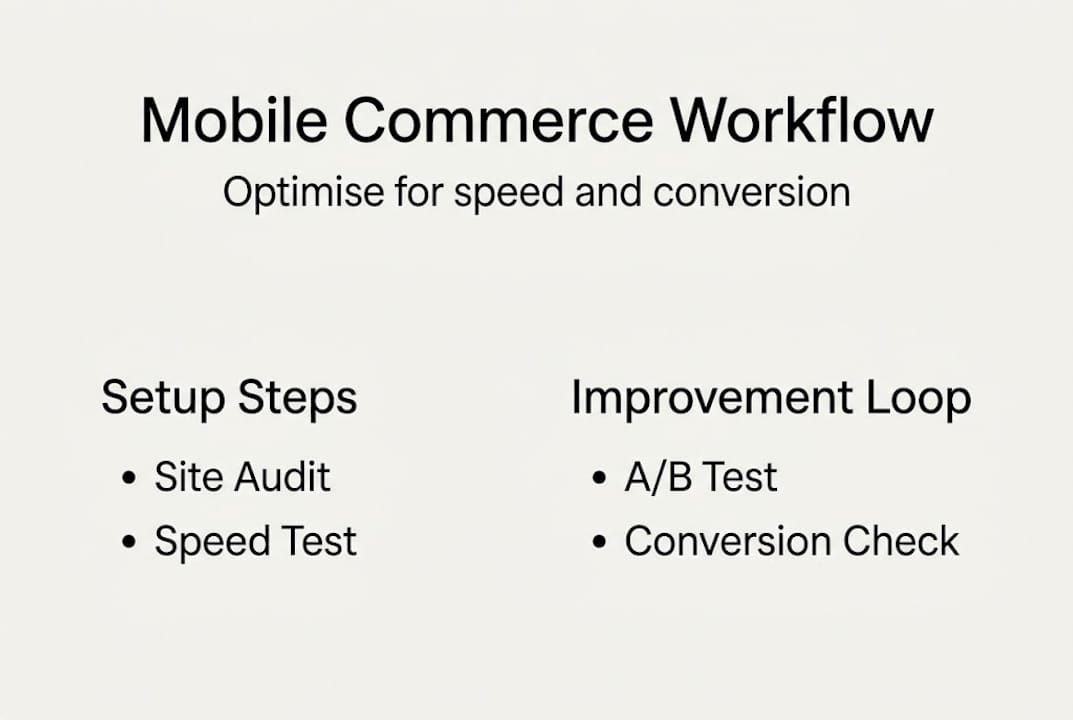
A simple improvement loop looks like this: measure your baseline, identify the single biggest friction point, make one targeted change, wait two weeks, measure again. Repeat. It sounds almost too simple, but this disciplined approach consistently outperforms scattered feature launches. Our case study on lower bounce rates shows what focused iteration can achieve in practice.
The essentials covered, let’s cut through the noise with some hard-won perspective.
Why most UK retailers overcomplicate mobile workflows (and what you should do instead)
We have worked with dozens of UK retailers on mobile commerce, and the pattern is remarkably consistent. A brand gets frustrated with low conversions, decides they need a native app, spends six months and a significant budget building it, and then discovers that the fundamental issues were a slow checkout and poorly sized buttons all along. Not good.
The retailers who actually move the needle strip their workflow back to essentials. They fix speed. They simplify checkout. They test relentlessly on real devices. Then, and only then, do they layer in more sophisticated features.
Our honest advice: dare to cut features rather than add them. Pick two or three metrics to obsess over for a quarter. Improving store performance with responsive design and building a PWA will almost always deliver more commercial return than launching a costly native app before your fundamentals are solid. Simplicity, speed, and thumb-friendly design beat feature-chasing every time.
Take your mobile commerce workflow to the next level
If this guide has surfaced gaps in your current setup, you are not alone. Most UK retailers we speak to are sitting on significant untapped mobile revenue, and the fixes are often more straightforward than they expect.

At Big Eye Deers, our Shopify design and development and Magento web design teams work with UK retailers every day to audit, build, and optimise mobile commerce workflows that convert. Whether you are starting from scratch or refining an existing setup, we can help you identify the highest-impact changes quickly. Take a look at our get ecommerce right resource, or get in touch to talk through your specific situation. We are based in Cardiff and Exeter, and we know the UK retail market well.
Frequently asked questions
What is the difference between a responsive mobile site and a PWA?
A responsive site adapts its layout for mobile screens, while a PWA behaves like an app, offering offline access, instant loading, and higher conversion potential. PWAs drop bounce rate by up to 42% compared to standard mobile web.
How can UK retailers reduce mobile cart abandonment?
Optimise for page speed, enable guest checkout, integrate mobile wallets like Apple Pay, and reduce checkout steps. One-page checkout and Apple Pay can reduce abandonment rates substantially.
Is developing a native app necessary for small retailers?
Most small retailers see better ROI starting with a mobile-optimised web shop or PWA, as native app development is costly and slow to generate returns. Apps convert 3× higher but require far greater investment than a PWA.
What key metrics should I track to measure mobile commerce success?
Focus on mobile session conversion rate, cart abandonment percentage, average page load time, repeat customer rate, and checkout completion rate. Conversion, abandonment, and speed are the critical workflow metrics to monitor consistently.
Recommended
- BED Blog: 5 Tips For Optimising Your Site For Mobile | Bigeyedeers.co.uk
- How to Optimise Online Store UX for Higher Conversions
- eCommerce Urgency to Increase Conversions | eCommerce Specialists
- Ecommerce: How to get it right • Bigeyedeers.co.uk
- Optimize customer conversation management workflow: 5 steps | SuperSocial Blog



Adobe Commerce (Magento)
Formerly known as Magento, Adobe Commerce is built for complex catalogues, integrations, and long term growth. We design and develop stable, scalable stores that support demanding eCommerce requirements, including multi-store setups, complex pricing, and Hyva based performance improvements.

Bespoke Build
We design and build custom eCommerce platforms for businesses with complex workflows, integrations, or non standard requirements. Built from scratch around your business needs using Laravel and modern architectures.

Working with brands across the UK from our offices in Cardiff and Exeter, you deal directly with a senior team of designers and developers specialising in Shopify, Magento, WordPress and bespoke eCommerce platforms.
We focus on commercial outcomes. Better conversion rates, strong SEO foundations and eCommerce platforms that continue to improve long after launch.