
Over ninety percent of British B2B retailers say personalization and integration are now critical for ecommerce growth. With complex catalog structures and intricate ERP requirements, many brands struggle to design seamless Magento stores that address every business need. This guide offers actionable steps to help ecommerce managers create efficient, secure, and high-performing Magento B2B platforms tailored for the demanding British market.
Table of Contents
- Step 1: Plan User Journeys And Map Catalogue Requirements
- Step 2: Set Up And Configure Your Magento Environment
- Step 3: Customise Catalogues And Integrate ERP Systems
- Step 4: Optimise Frontend Experience For Performance
- Step 5: Implement Advanced Security And PCI Compliance
- Step 6: Test Deployment And Monitor Ongoing Operations
Quick Summary
| Key Point | Explanation |
|---|---|
| 1. Understand User Journeys | Map out customer interactions to tailor the online catalogue effectively. |
| 2. Configure Magento Environment | Assess and meet specific business requirements for your ecommerce platform. |
| 3. Integrate ERP Systems | Ensure seamless data synchronisation between Magento and backend systems. |
| 4. Focus on Performance Optimisation | Implement caching and content delivery strategies to enhance user experience. |
| 5. Maintain Security Compliance | Establish multi-layered security protocols to protect customer data and transactions. |
Step 1: Plan User Journeys and Map Catalogue Requirements
Designing a robust B2B ecommerce solution starts with understanding how your customers interact with your online catalogue. This step will help you create a strategic map of user experiences across your Magento platform.
Begin by visualising the entire customer interaction process. User journey mapping is a structured visual method that captures users’ evolving thoughts, feelings, and behaviours as they navigate your digital storefront. Think about each potential touchpoint your wholesale and retail customers might encounter.
Break down your catalogue mapping into clear segments. Consider different customer groups such as procurement managers, bulk buyers, and individual product purchasers. Identify their unique requirements like volume pricing, custom product configurations, account hierarchies, and specific search capabilities. Map out how each user type will discover products, compare options, request quotes, and complete purchases.
Draw detailed wireframes that represent each step of the purchasing journey. Include key interaction points like product search, detailed specification views, pricing tier displays, and account management interfaces. Ensure your design accommodates complex B2B purchasing workflows that might involve multiple approvers or specific organisational purchasing rules.
Here is a comparison of typical B2B customer types and their catalogue requirements:
| Customer Type | Key Needs | Catalogue Features Required |
|---|---|---|
| Procurement Managers | Volume pricing, approvals | Account hierarchies, bulk ordering |
| Bulk Buyers | Custom quotes, negotiated pricing | Tiered pricing, quick reordering |
| Individual Purchasers | Product details, fast search | Detailed specs, advanced filtering |
Pro tips: Create multiple user personas representing different buying scenarios to ensure your catalogue design addresses diverse commercial needs. Test your initial journey maps with actual customers to validate and refine your approach.
Step 2: Set Up and Configure Your Magento Environment
Configuring your Magento environment is a critical first step towards building a robust B2B ecommerce platform that can handle complex wholesale transactions and sophisticated product catalogues.
Magento provides a cutting-edge ecommerce platform enabling businesses to create comprehensive online stores with advanced functionality. Start by assessing your specific business requirements such as product types, pricing structures, and integration needs. Download the appropriate Magento version compatible with your technical infrastructure and ensure your server meets the minimum system requirements.
Prepare your technical environment by checking PHP versions, database compatibility, and web server configurations. Install necessary extensions that support B2B specific features like custom pricing, account management, and advanced search capabilities. When preparing for potential ERP integrations, carefully define data entities and service level agreements to ensure smooth data synchronisation between your ecommerce platform and backend systems.
Ensure you select the appropriate authentication mechanisms and configure least-privilege API access to maintain robust security protocols. Review your network settings, configure SSL certificates, and set up appropriate user roles and permissions within the Magento admin panel.

Pro tips: Always maintain a staging environment parallel to your production setup to test configurations before live deployment. Regularly update your Magento installation to ensure you have the latest security patches and feature improvements.
Step 3: Customise Catalogues and Integrate ERP Systems
Customising your Magento catalogue and integrating enterprise resource planning systems requires a strategic approach that balances technical precision with business flexibility. Your goal is to create a seamless digital infrastructure that supports complex B2B transaction workflows.
Start by mapping out your specific product catalogue requirements. Design custom product attributes that reflect the nuanced needs of your wholesale and retail customers. Implement configurable product options that allow for variations in size, colour, specifications, and pricing tiers. When preparing for ERP integration, carefully define the scope of data entities and service level agreements to ensure smooth data synchronisation between your ecommerce platform and backend systems.
Configure your API integrations with robust authentication mechanisms that prioritise security and data integrity. Implement least-privilege access protocols to protect sensitive business information while enabling necessary data flows between Magento and your enterprise systems. Develop custom extensions or middleware solutions that can translate complex business logic across platforms.
Pay close attention to inventory management, pricing rules, and customer account hierarchies. Create custom workflow rules that automatically adjust pricing based on customer group, purchase volume, or specific contractual arrangements. Ensure your catalogue supports complex B2B scenarios like negotiated pricing, bulk order discounts, and account-specific product visibility.
Pro tips: Always maintain a comprehensive mapping document detailing your data synchronisation rules and integration points. Regularly audit your API connections to ensure ongoing compatibility and security.
Step 4: Optimise Frontend Experience for Performance
Creating a lightning-fast Magento frontend requires strategic optimisation techniques that balance visual appeal with technical efficiency. Your ultimate goal is delivering a seamless, responsive user experience that keeps B2B customers engaged and reduces bounce rates.
Improving speed optimisation, caching, content distribution network usage, scalability, and overall performance represents the cornerstone of exceptional frontend design. Start by conducting a comprehensive performance audit using tools like Google PageSpeed Insights and Magento Performance Toolkit. Analyse critical metrics including page load times, server response speeds, and rendering performance across different devices and network conditions.
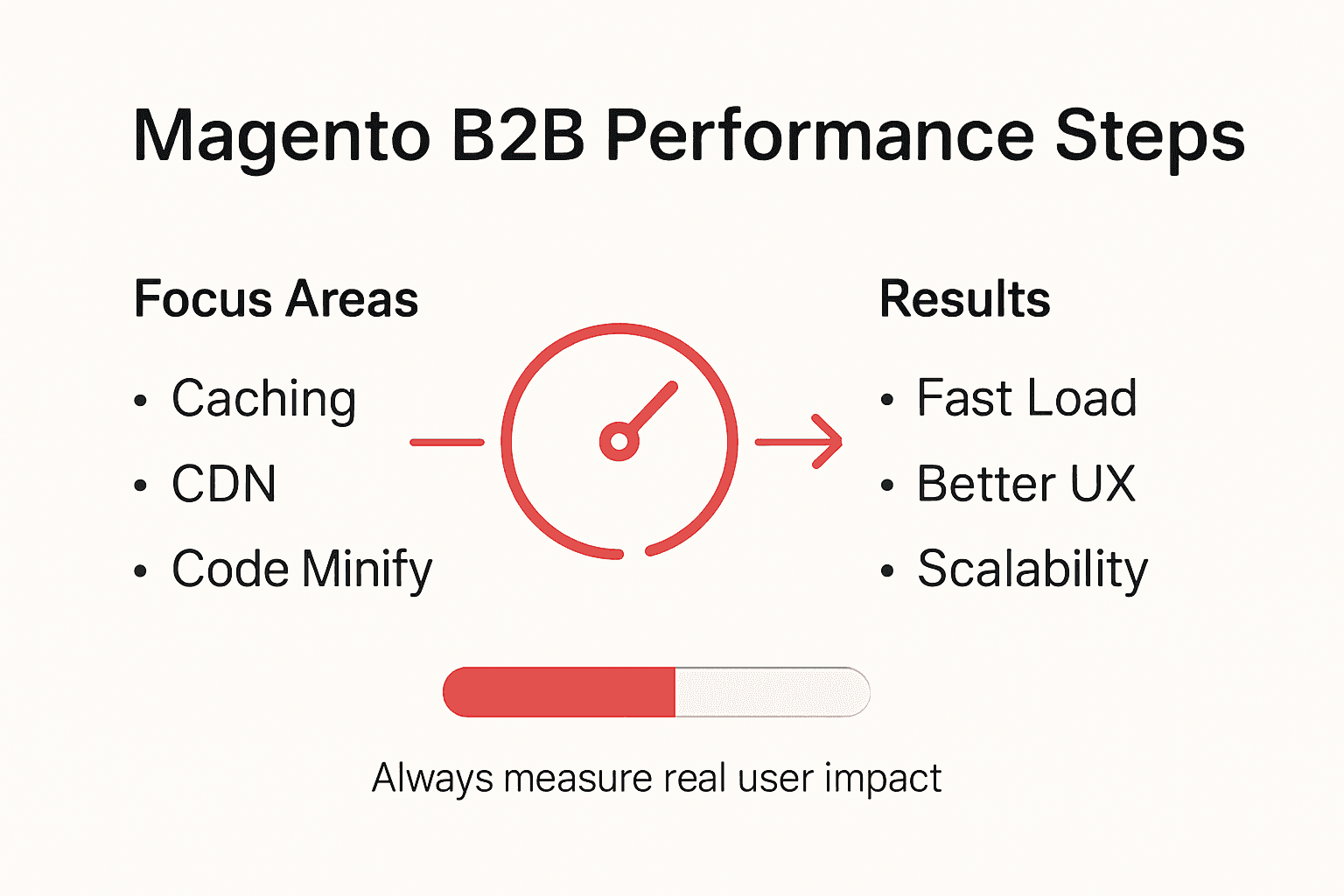
Implement advanced caching strategies to minimise server load and accelerate content delivery. Configure full page caching, leverage browser caching mechanisms, and utilise Varnish Cache for dynamic content acceleration. Optimise image assets by compressing file sizes, implementing lazy loading techniques, and using modern image formats like WebP that provide superior compression without sacrificing visual quality.
Streamline your frontend JavaScript and CSS by minifying code, eliminating render blocking resources, and implementing efficient asset loading strategies. Leverage browser-side performance techniques like code splitting, asynchronous script loading, and critical path rendering to ensure rapid initial page loads. Consider implementing a content delivery network to distribute static assets across geographically diverse servers, reducing latency for international B2B customers.
Pro tips: Always test performance changes incrementally and monitor real-world user metrics. Use progressive enhancement techniques to ensure a consistent experience across different browser capabilities and connection speeds.
Step 5: Implement Advanced Security and PCI Compliance
Securing your Magento B2B ecommerce platform requires a comprehensive approach that protects sensitive customer data and maintains robust defence mechanisms against potential cyber threats. Your primary objective is creating a secure transactional environment that builds customer trust and meets rigorous industry standards.
Certified developers and partners with specific security certifications provide critical foundations for implementing advanced security protocols. Begin by conducting a thorough security assessment of your Magento infrastructure, identifying potential vulnerabilities in your authentication systems, payment gateways, and data storage mechanisms.
Implement multi-layered security strategies including strong password policies, two-factor authentication, and comprehensive user role management. Configure granular access controls that limit administrative permissions and monitor user activities through detailed logging mechanisms. Encrypt all sensitive data transmission channels using robust SSL certificates and implement network segmentation to isolate critical system components.
Establish a proactive security maintenance regime that includes regular vulnerability scanning, penetration testing, and immediate application of official Magento security patches. Configure advanced firewall rules, implement intrusion detection systems, and use web application protection tools to defend against common attack vectors like SQL injection, cross site scripting, and brute force login attempts.
Pro tips: Maintain a dedicated security incident response plan that outlines precise steps for addressing potential breaches. Regularly train your technical team on emerging cybersecurity threats and best practice mitigation strategies.
Step 6: Test Deployment and Monitor Ongoing Operations
Successfully launching your Magento B2B ecommerce platform requires meticulous testing and continuous performance monitoring. Your goal is creating a robust, reliable system that delivers seamless transactions and exceptional user experiences.
Conduct comprehensive end-to-end sandbox testing by creating test products in your ERP system, synchronising them with Magento, placing simulated orders, processing test fulfillments, and confirming precise stock management. Develop a structured testing protocol that covers every potential user interaction scenario including complex B2B workflows like multi-level approvals, negotiated pricing, and volume discount calculations.
Establish a robust monitoring infrastructure using advanced analytics tools that track critical performance metrics. Configure real-time dashboards displaying key performance indicators such as order processing times, inventory accuracy, transaction success rates, and system response latencies. Implement automated alert mechanisms that notify your technical team immediately when performance deviates from predefined thresholds.
Deploy comprehensive logging and diagnostic systems that capture detailed transactional data and system events. Set up redundant monitoring streams across different infrastructure layers including application performance, database interactions, network traffic, and external service integrations. Develop a systematic approach to analysing these logs that helps identify potential bottlenecks, security vulnerabilities, and opportunities for performance optimisation.
Pro tips: Create synthetic monitoring scripts that continuously validate critical user journeys and system integrations. Schedule regular penetration testing and performance audits to proactively identify and address potential operational risks.
The table below summarises core Magento B2B deployment considerations and their business impact:
| Area | Key Focus | Business Impact |
|---|---|---|
| Catalogue Mapping | User roles, segmented pricing | Enhanced customer satisfaction |
| ERP Integration | Data synchronisation, security | Streamlined operations and accuracy |
| Frontend Optimisation | Performance, asset management | Lower bounce rates, improved retention |
| Security Compliance | Multi-layer protection, PCI | Reduced risk, strengthened trust |
| Ongoing Monitoring | Automated alerts, analytics | Proactive issue resolution |
Unlock Seamless B2B Growth with Expert Magento Solutions
Mastering Magento for complex B2B ecommerce means overcoming challenges like custom catalogue setups, tiered pricing, account hierarchies, and ERP integrations. These elements are essential for delivering efficient, secure, and high-performing wholesale and retail experiences. If you are struggling to map user journeys, ensure PCI compliance, or optimise your frontend performance as detailed in the article Master Magento for Complex B2B Ecommerce Success, you are not alone.
Big Eye Deers brings over 17 years of ecommerce expertise to help you address these pain points with tailored Magento builds that support multi-store environments and advanced B2B workflows. We use Figma for precise user journey planning and integrate powerful tools like Klaviyo for lifecycle marketing and Klevu for enhanced product discovery. Proactive security with Sansec ensures your platform stays protected, compliant, and trustworthy.
Take the next step today by exploring how our Magento expertise transforms complex B2B ecommerce challenges into growth opportunities.

Start your journey towards a secure, customisable, and scalable ecommerce solution with Big Eye Deers. Visit Big Eye Deers now to discover how our advanced Magento services can drive your business success. Don’t wait—the future of B2B ecommerce is waiting for you.
Frequently Asked Questions
How do I start planning user journeys for my Magento B2B ecommerce site?
To begin planning user journeys, create detailed visual maps of how different customer types will interact with your catalogue. Identify touchpoints such as product searches and purchases, then iterate your maps based on customer feedback to refine the user experience.
What configurations are essential for setting up my Magento environment for B2B ecommerce?
Prioritise critical configurations such as PHP version checks, database compatibility, and installing B2B-specific extensions for features like custom pricing. Ensure these configurations are in place before deploying your platform to avoid operational issues later.
How can I effectively customise my Magento catalogue for diverse customer needs?
Customise your catalogue by mapping specific product attributes and implementing options for variations like size and pricing tiers. This allows you to cater to unique customer requirements, enhancing user satisfaction by ensuring relevant product visibility.
What performance optimisation techniques should I implement for my Magento site?
To optimise performance, implement advanced caching strategies and streamline your frontend assets by minifying CSS and JavaScript. Aim to reduce page load times by at least 20% through these techniques, which can significantly improve user experience and retention.
How can I ensure my Magento B2B ecommerce site is secure and compliant?
Establish multi-layered security measures such as strong password policies and two-factor authentication to protect sensitive data. Regularly conduct security assessments and apply updates to maintain compliance with industry standards and reassure your customers about their data safety.
What steps should I take to monitor ongoing operations after launching my Magento B2B site?
Set up robust monitoring infrastructures to track key performance metrics and establish automated alerts for any anomalies. Regularly review these metrics and logs to proactively address potential issues, ensuring seamless operations and customer satisfaction.