Magento software download: 2026 developer’s guide
Magento Open Source is freely available to download from the official Adobe repository and GitHub, with no licence fee attached. The current supported branch is Magento 2.4.x, with 2.4.8 a recent release incorporating numerous community-contributed fixes. Earlier branches, including 2.3.x, no longer receive security patches, so starting on anything below 2.4 is a decision you will regret quickly.
Two editions exist, and the distinction matters before you touch a terminal:
- Magento Open Source — the free, community-maintained edition on GitHub, covering product catalogue management, checkout, order processing, and a basic admin panel.
- Adobe Commerce — the paid enterprise tier, adding native B2B modules, AI-powered recommendations, Content Staging, and managed cloud hosting. Adobe Commerce Cloud pricing can be significant and varies by deployment size.
The open-source licence is genuinely free, but your real costs come from hosting, extensions, and developer time. Budget for those from day one.
Pro Tip: Always verify your download using the SHA-256 checksum published alongside each release on GitHub. A mismatched hash means a corrupted or tampered archive — do not proceed with installation until it clears.

What does your server need before you install Magento 2?
Magento 2.4+ requires a Linux server — Ubuntu, Debian, or RHEL are the preferred distributions. Windows and macOS are not supported for production environments, full stop. If your UK hosting provider only offers Windows Server, you need a different host.
The core stack requirements are:
- PHP with required extensions (bcmath, ctype, curl, dom, gd, hash, iconv, intl, mbstring, openssl, pdo_mysql, simplexml, soap, xsl, zip)
- Web server: Apache 2.4 or Nginx 1.x
- Database: MySQL 8.0 or MariaDB 10.4/10.6
- Composer 2.x for dependency management
- SSL certificate: a valid, CA-signed HTTPS certificate (self-signed certificates are not supported)
- At least 2GB RAM — systems with less will hit compilation failures; add a swap file as a temporary workaround on constrained VPS instances
Installation timing: The software installation itself takes 30–60 minutes, but provisioning a compliant server environment adds considerably more time, depending on your experience level.
Common pitfalls on UK shared hosting: many entry-level plans cap PHP memory at 128MB and do not allow CLI access, both of which will kill the install. A VPS from providers such as Fasthosts, IONOS UK, or Krystal gives you the control you actually need.

Getting started with Magento Open Source: core features and first steps
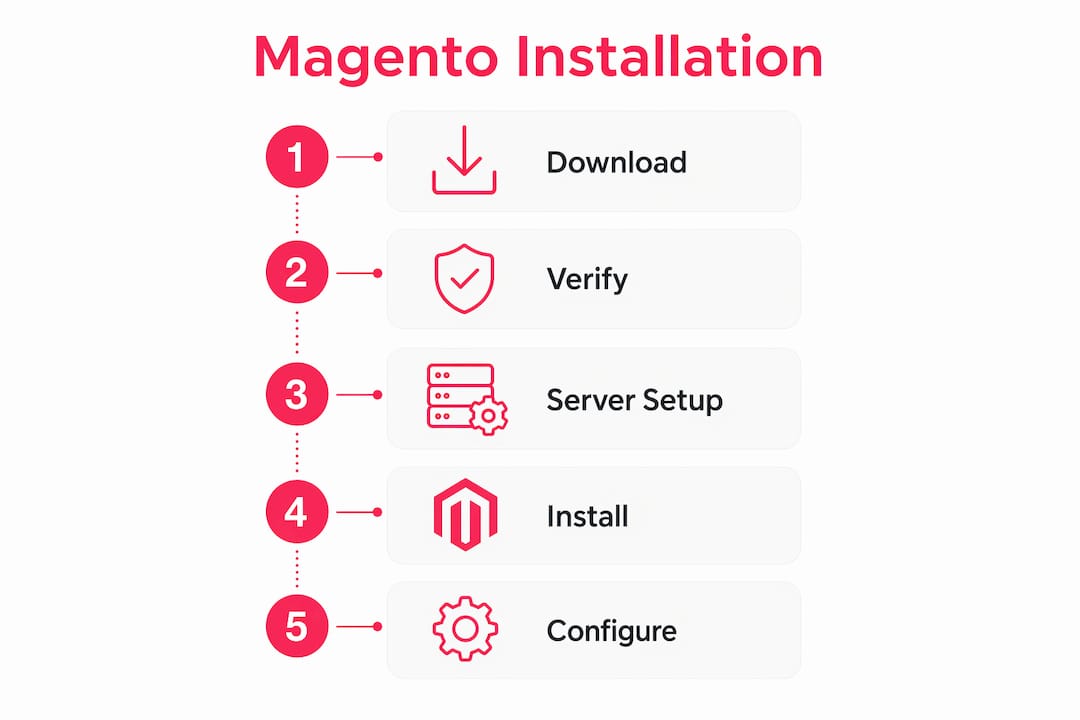
Once your environment is ready, the practical setup follows a clear sequence. Transfer your files via SCP (preferred over FTP for security), create a dedicated MySQL database and user, generate your Magento Marketplace authentication keys, then run the installer via CLI or the web setup wizard.
Magento Open Source core features include:
- Product and catalogue management with configurable, grouped, and virtual product types
- Checkout and order processing with guest and registered customer flows
- Admin panel for managing orders, customers, and content
- Extension Marketplace access for third-party modules covering payments, shipping, and marketing
- Multi-storefront support from a single installation
Version tracking is not optional. Adobe releases security patches on a scheduled cycle, and running an unpatched store is an open invitation to attackers. Set a calendar reminder for every patch release and treat upgrades as routine maintenance, not a crisis. For multi-store setups, Magento’s website/store/store-view hierarchy gives you genuine flexibility, though it requires careful planning upfront.
First practical steps to get your store running:
- Run
composer create-project --repository-url=https://repo.magento.com/ magento/project-community-edition - Set correct file permissions (find . -type f -exec chmod 644 {} ; and find . -type d -exec chmod 755 {} ;)
- Create your database and note credentials
- Execute
bin/magento setup:installwith your configuration flags - Run
bin/magento setup:di:compileandbin/magento setup:static-content:deploy - Configure your web server virtual host and point document root to the
/pubdirectory
Where do UK developers find Magento community support?
The Magento Community Forums remain the primary hub for developer discussions, bug reports, and peer troubleshooting. The Magento Association operates independently from Adobe and organises events including MageConf, which draws developers and merchants from across Europe, including a strong UK contingent.
Key resources worth bookmarking:
- Magento Community Forums — peer support and issue tracking
- Magento Association — certification, events, and community governance
- Adobe Experience League — official documentation, release notes, and installation guides
- GitHub (magento/magento2) — source code, issue tracker, and community pull requests
- Extension Marketplace — vetted third-party modules with Trustpilot-reviewed vendors
- Stack Exchange / Magento Stack Exchange — fast answers to specific technical questions
For UK businesses needing hands-on support beyond forums, a specialist agency is often the most direct route. Bigeyedeers, based in Cardiff and Exeter, has over 17 years of Magento experience covering Open Source builds, Adobe Commerce, Hyvä frontends, and complex B2B configurations.
Technical insights from a UK Magento agency
Magento 2 has matured into a framework built for deep integration, with GraphQL coverage expanding in 2.4.8 to support headless deployments. That maturity comes with complexity. Here is what we see trip up developers repeatedly:
- Memory constraints are the most common install failure. If
bin/magento setup:di:compiledies mid-run, check your PHP memory_limit (set to at least 756MB in php.ini). - Authentication keys must come from your Magento Marketplace account. Using placeholder or incorrect keys causes Composer to fail silently on private packages.
- Database credentials must match exactly, including collation (use utf8mb4_unicode_ci).
- HTTPS is non-negotiable for production. Pair a valid SSL certificate with Magento security patching and malware monitoring via tools like Sansec to maintain PCI compliance.
- Upgrade complexity on customised sites is real. Moving from 2.4.6 to 2.4.8 on a heavily modified codebase frequently requires weeks of QA and dependency resolution.
Pro Tip: Before any upgrade, run bin/magento module:status and audit third-party module compatibility against the target version’s release notes. Incompatible modules are the single biggest cause of post-upgrade breakage.
The open-source licence costs nothing, but skilled Magento developers, reliable UK hosting, and ongoing security plugin coverage are recurring costs that add up. Plan for them honestly before committing to the platform.
Step-by-step Magento installation on common UK hosting environments
Most UK developers deploy Magento on a cloud VPS or dedicated server. This is the process we follow:
- Provision your server — spin up a Linux VPS (Ubuntu 22.04 LTS is a solid choice), update packages, and install Nginx, PHP 8.2, MySQL 8.0, and Composer 2.x.
- Configure PHP — set
memory_limit = 756M,max_execution_time = 18000, and enable all required extensions in your php.ini. - Create the database —
CREATE DATABASE magento; GRANT ALL ON magento.* TO 'magentouser'@'localhost' IDENTIFIED BY 'yourpassword'; - Download Magento via Composer — authenticate with your Marketplace keys, then run the
create-projectcommand pointing torepo.magento.com. - Verify the download — check the SHA-256 hash against the published checksum before proceeding.
- Run the installer — execute
bin/magento setup:installwith flags for your base URL, database credentials, admin credentials, and language/currency settings. - Set file permissions — apply the recommended ownership (
www-dataor your web server user) and permission structure. - Configure Nginx — use Adobe’s official Nginx sample configuration, pointing
rootto the/pubdirectory. - Enable HTTPS — install a Let’s Encrypt certificate via Certbot and update your Magento base URLs to
https://. - Deploy static assets — run
bin/magento setup:static-content:deploy en_GBfor UK locale support. - Test the storefront and admin — confirm both load correctly, then lock down the admin URL by changing it from the default
/adminpath.
For Magento SEO configuration post-install, address URL rewrites, canonical tags, and sitemap generation before going live.
Key takeaways
Magento Open Source is freely downloadable from GitHub and Adobe’s official repository, but a compliant Linux server environment and skilled developer time are prerequisites for a successful deployment.
| Point | Details |
|---|---|
| Official download source | Get Magento Open Source via Composer from repo.magento.com or clone directly from GitHub. |
| Supported version | The 2.4.x branch is the only actively maintained line; 2.3.x no longer receives security patches. |
| Minimum RAM | At least 2GB RAM is required; less causes compilation failures during installation. |
| Installation time | The software installs in 30–60 minutes; server provisioning adds significant additional time. |
| Ongoing costs | The licence is free, but hosting, extensions, and developer maintenance are recurring expenses. |
Bigeyedeers builds and supports Magento Open Source and Adobe Commerce stores for UK retailers, from initial Magento web design through to ERP integrations, Hyvä frontends, and long-term security monitoring. If you want a team that has done this at scale, get in touch with us.

Recommended



Adobe Commerce (Magento)
Formerly known as Magento, Adobe Commerce is built for complex catalogues, integrations, and long term growth. We design and develop stable, scalable stores that support demanding eCommerce requirements, including multi-store setups, complex pricing, and Hyva based performance improvements.

Bespoke Build
We design and build custom eCommerce platforms for businesses with complex workflows, integrations, or non standard requirements. Built from scratch around your business needs using Laravel and modern architectures.

Working with brands across the UK from our offices in Cardiff and Exeter, you deal directly with a senior team of designers and developers specialising in Shopify, Magento, WordPress and bespoke eCommerce platforms.
We focus on commercial outcomes. Better conversion rates, strong SEO foundations and eCommerce platforms that continue to improve long after launch.