What is UX auditing and why does it matter?
TL;DR:
- A UX audit is an evidence-based evaluation that identifies usability issues, accessibility gaps, and conversion barriers in digital products. It requires extensive data collection over 90 days, heuristic evaluation, and adherence to WCAG standards to produce a prioritized remediation roadmap. Conducting audits before major development or migration projects ensures effective fixes, boosts conversions, and reduces legal and performance risks.
A UX audit is a systematic, evidence-based evaluation of a digital product’s user experience, designed to identify usability failures, accessibility gaps, and conversion barriers across the full user journey. The industry standard term is “user experience audit,” though UX auditing is the widely used shorthand for the same process. A professional audit draws on recognised frameworks including Nielsen Norman Group heuristics and WCAG 2.2 AA accessibility standards to produce a prioritised remediation roadmap. 69% of users abandon purchases due to poor UX such as navigation friction and checkout failures. That single figure tells you the commercial stakes involved.
What is the UX audit process?
A professional UX audit follows a structured sequence. Skipping steps produces opinions, not evidence. Professional UX audits require at least 90 days of funnel analytics, session recordings, and support ticket analysis before any heuristic review begins. That data requirement is what separates a diagnostic audit from a quick design critique.
The typical process runs as follows:
-
Discovery and data collection. Gather a minimum of 90 days of behavioural data: funnel drop-off reports, heatmaps, session recordings, and customer support patterns. This evidence base defines where users actually struggle, not where the team assumes they do.
-
Heuristic evaluation. An experienced auditor reviews the product against established usability principles, most commonly the Nielsen Norman Group’s ten heuristics. This covers navigation clarity, error prevention, consistency, and feedback mechanisms.
-
Accessibility testing. The audit checks compliance against WCAG 2.2 AA standards. This includes colour contrast ratios, keyboard navigation, screen reader compatibility, and form labelling. Accessibility failures affect both users and legal standing under the UK Equality Act 2010.
-
Synthesis and issue mapping. Findings are mapped to specific user journey stages. Each issue is rated by severity and linked to supporting evidence from the behavioural data collected in step one.
-
Prioritised remediation roadmap. The final deliverable is not a list of complaints. Typical deliverables include a severity-rated issues list and a practical action plan with prioritised fixes ranked by severity, development effort, and dependencies.
A full audit typically takes 3–4 weeks. That timeline reflects the depth of analysis required, not padding.
Pro Tip: Before commissioning an audit, confirm the auditor will start with behavioural data. Any agency that begins with a visual review and skips analytics is delivering a design opinion, not a diagnostic audit.
How does a UX audit differ from CRO audits and usability testing?
These three terms get used interchangeably, and that confusion costs businesses money. Each serves a distinct purpose.
A UX audit is broader than a CRO audit. It covers the entire user journey including accessibility, navigation, trust signals, and content clarity. A CRO audit focuses narrowly on funnel leaks and hypothesis generation for A/B testing. Usability testing, by contrast, involves real users completing tasks under observation. It generates qualitative insight but does not produce the systematic issue catalogue that an audit delivers.
| Aspect | UX audit | CRO audit |
|---|---|---|
| Scope | Full user journey | Conversion funnel only |
| Method | Heuristic evaluation plus behavioural data | Analytics and hypothesis testing |
| Output | Prioritised remediation roadmap | Test hypotheses and funnel fixes |
| Accessibility coverage | Yes, WCAG 2.2 AA | No |
| Timeline | 3–4 weeks | 1–2 weeks |
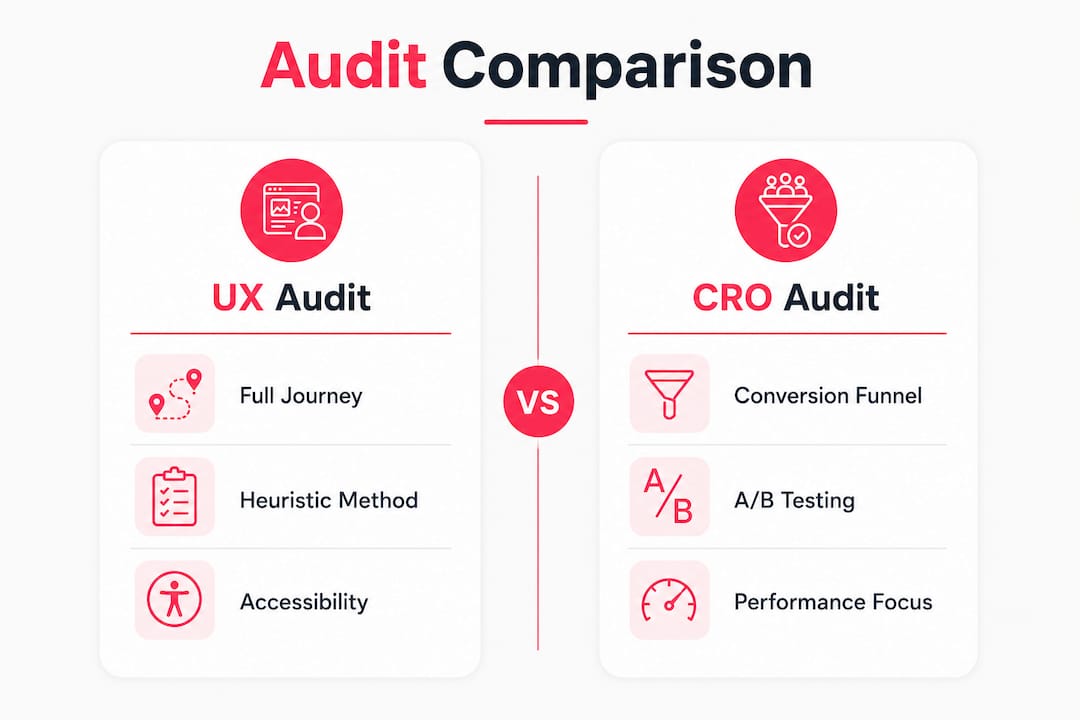
The practical relationship between the three is sequential. A UX audit creates the strategic backlog. CRO testing then validates specific fixes from that backlog. Usability testing adds qualitative depth to issues the audit has already identified. Running CRO experiments without a prior UX audit means testing on a broken foundation.
Why is UX auditing important for business success?
The commercial case for a user experience audit is direct. Poor UX costs revenue, damages search rankings, and creates legal exposure. Addressing it systematically produces measurable returns.
- Conversion uplift. Post-audit conversion uplifts of 10–30% within 90 days are a documented benchmark for UK businesses. That range reflects the severity of pre-existing issues, not the quality of the audit.
- Legal compliance. The UK Equality Act 2010 requires digital services to be accessible to users with disabilities. WCAG 2.2 AA is the accepted technical standard for demonstrating compliance. Failing an accessibility audit is not just a UX problem. It is a legal risk.
- SEO performance. Clear navigation, page speed, and accessibility improvements from UX audits also improve organic search rankings. Search engines incorporate usability signals, so fixing UX issues and improving organic search performance are the same action, not two separate workstreams.
- Customer retention. Users who encounter friction do not complain. They leave and do not return. An audit surfaces the friction points that analytics alone cannot explain.
- Reduced development waste. Building new features on top of broken user journeys compounds the problem. An audit identifies what to fix before new development begins.
Pro Tip: Integrate your audit findings into your overall digital strategy before the next development sprint. Fixes implemented without a clear business priority order deliver far less return than a sequenced remediation plan.
Check the UX checklist for ecommerce stores to see how these principles apply to online retail specifically.

How to conduct a UX audit: practical steps
Conducting a thorough user experience audit requires preparation, the right data, and clear business objectives. Rushing any stage produces a report that sits unread.
- Set clear business goals first. Define what success looks like before the audit begins. Is the priority reducing checkout abandonment, improving accessibility compliance, or increasing mobile conversion? Goals shape which findings get prioritised in the roadmap.
- Collect at least 90 days of behavioural data. This includes Google Analytics funnel reports, session recording tools, heatmaps, and customer support ticket patterns. Quick design critiques lack rigour because they skip this step entirely. Behavioural data is non-negotiable.
- Work with auditors who know heuristics and WCAG. The auditor must be fluent in both usability principles and accessibility standards. An audit that ignores WCAG 2.2 AA is incomplete for any UK business serving the public.
- Time the audit strategically. The best time to commission an audit is before a rebrand, a platform migration, or a major feature expansion. Auditing after a rebuild is expensive. Auditing before it shapes the brief.
- Treat the roadmap as a product backlog. The remediation plan is not a one-off document. Feed it directly into your product management process and assign issues to development sprints by priority.
- Avoid scope creep. A UX audit is not a full redesign brief. Keep the scope focused on evidence-based issues. Redesign decisions that are not supported by audit findings should go through a separate process.
For a broader view of how audits feed into ecommerce performance, the UX improvement guide for UK ecommerce covers the full picture.
Pro Tip: Ask your auditor to map every finding to a specific piece of behavioural evidence. If an issue cannot be linked to data, it is an opinion. Opinions do not belong in a remediation roadmap.
How audit findings drive continuous improvement
An audit delivers value only when its findings move into action. The report itself is not the outcome. The fixes are.
A UX audit’s value lies in a prioritised list of fixes ranked by severity, development effort, and dependencies. That ranking is what makes the difference between a team that fixes the right things first and a team that spends three sprints on low-impact changes.
Effective integration of audit outputs into development teams requires:
- Clear evidence mapping. Every issue in the roadmap should reference the session recording, funnel drop-off data, or heuristic principle that supports it. Developers and product managers act faster on evidence than on assertions.
- Sprint-ready formatting. Audit findings should be written as actionable tickets, not paragraphs of analysis. Each issue needs a description, a severity rating, an effort estimate, and a dependency note.
- Iterative validation. After each batch of fixes, run targeted usability checks or A/B tests to confirm the change produced the expected improvement. This closes the loop between audit and outcome.
- Stakeholder alignment. The audit purpose must be agreed before the work begins. If the business expects a redesign brief and the auditor delivers a technical remediation list, the findings will not be acted on.
The goal is a continuous improvement cycle: audit, fix, validate, repeat. A single audit is a snapshot. The real return comes from building that cycle into your product process.
Key takeaways
A UX audit is the most direct way to identify what is costing your digital product revenue, compliance standing, and search visibility.
| Point | Details |
|---|---|
| Start with behavioural data | Collect at least 90 days of analytics and session recordings before any heuristic review. |
| Expect a prioritised roadmap | The final deliverable should rank fixes by severity, effort, and dependencies, not just list problems. |
| Compliance is non-negotiable | WCAG 2.2 AA testing is required for UK businesses under the Equality Act 2010. |
| Audit before you build | Commission a UX audit before a rebrand or platform migration to shape the brief, not fix the result. |
| Connect findings to sprints | Feed the remediation roadmap directly into your development backlog for measurable, sequenced impact. |
What I’ve learned from audits that actually change things
The most common mistake I see is treating a UX audit as a design review. Teams commission an audit, receive a document full of visual suggestions, and wonder why conversion does not move. The problem is the process, not the findings.
A genuine diagnostic audit anchors every issue in data. If a finding cannot be traced back to a session recording, a funnel drop-off, or a support ticket pattern, it does not belong in the report. That discipline is what separates a useful audit from an expensive opinion.
The second mistake is treating the remediation roadmap as a wish list. A well-structured roadmap is a sequenced plan. Severity, effort, and dependencies determine the order. Businesses that pick fixes based on what feels quick or visually obvious consistently underperform against those that follow the sequence.
Timing matters more than most teams realise. An audit commissioned six months before a platform migration shapes the entire build brief. The same audit commissioned six months after the launch is damage control. The earlier you audit, the cheaper the fixes.
My strongest advice: run the audit before you run the experiments. CRO testing on a site with fundamental navigation and accessibility failures produces noisy, unreliable data. Fix the foundation first. Then test.
— Steve
How Bigeyedeers supports UX audit-driven ecommerce growth
UX auditing is central to how we approach ecommerce builds at Bigeyedeers. Before any development begins, we use Figma to map user journeys and wireframe interface systems, ensuring that design decisions are grounded in evidence rather than assumption.

We work with growing and enterprise retail brands across Magento and Shopify, and we understand that a poorly performing store is rarely a technology problem. It is almost always a user experience problem. Our team brings together UX expertise, WCAG compliance knowledge, and deep ecommerce development experience to translate audit findings into measurable improvements. If you are planning a platform migration, a rebrand, or simply want to understand why your conversion rate is not where it should be, talk to the Bigeyedeers team about where a UX audit fits into your roadmap. You can also explore our broader ecommerce agency services to see how we combine UX, performance, and compliance into a single delivery approach.
FAQ
What is a UX audit in simple terms?
A UX audit is a structured review of a digital product that identifies usability problems, accessibility failures, and conversion barriers using behavioural data and recognised evaluation frameworks.
How long does a UX audit take?
A professional UX audit typically takes 3–4 weeks, covering data collection, heuristic evaluation, accessibility testing, and the production of a prioritised remediation roadmap.
What does a UX audit cost in the UK?
A focused UX audit in the UK typically costs £2,500–£6,000, depending on the scope and complexity of the digital product being evaluated.
How does a UX audit differ from usability testing?
A UX audit is an expert-led inspection using behavioural data and heuristics. Usability testing involves real users completing tasks under observation. Both are valuable, but they answer different questions.
When should a business commission a UX audit?
The best time is before a major change such as a rebrand, platform migration, or feature expansion. Auditing at that stage shapes the brief and prevents costly fixes after launch. For ecommerce stores, the website accessibility guide covers compliance considerations that should feed directly into any audit scope.
Recommended



Adobe Commerce (Magento)
Formerly known as Magento, Adobe Commerce is built for complex catalogues, integrations, and long term growth. We design and develop stable, scalable stores that support demanding eCommerce requirements, including multi-store setups, complex pricing, and Hyva based performance improvements.

Bespoke Build
We design and build custom eCommerce platforms for businesses with complex workflows, integrations, or non standard requirements. Built from scratch around your business needs using Laravel and modern architectures.

Working with brands across the UK from our offices in Cardiff and Exeter, you deal directly with a senior team of designers and developers specialising in Shopify, Magento, WordPress and bespoke eCommerce platforms.
We focus on commercial outcomes. Better conversion rates, strong SEO foundations and eCommerce platforms that continue to improve long after launch.