Why Figma prototyping matters for better UX
TL;DR:
- Figma prototyping converts ideas into interactive designs that reveal usability issues early, saving costs. It enables rapid testing, quick iteration, and improves team alignment before development begins. Using prototypes reduces late-stage changes, improves user experience, and enhances overall delivery quality.
Figma prototyping is defined as the practice of building interactive, clickable design mockups inside Figma before a single line of code is written. It matters because it transforms abstract ideas into testable experiences that reveal usability problems early, when fixes cost a fraction of what they cost post-release. Research shows that fixing defects after release can cost up to 100 times more than addressing them during the design phase. That single fact reframes prototyping from a nice-to-have into a financial decision. At Bigeyedeers, we use Figma to plan every user journey, wireframe, and interface system before development begins, and the difference in delivery quality is significant.
Why Figma prototyping matters for idea validation and team alignment
The most immediate benefit of Figma prototyping is speed. Teams can reduce design cycles from weeks of product requirement documents and engineering cycles to hours of interactive exploration. That is not a marginal improvement. It changes how product managers, designers, and engineers make decisions together.
Here is how a typical rapid validation workflow looks in practice:
- Define the question. Identify the single decision the prototype needs to answer. Is the checkout flow clear? Does the filter system make sense? One question per prototype keeps the work focused.
- Build the core flow in Figma. Connect frames using Figma’s prototype panel. Add interactions for taps, hovers, and transitions. Keep visual polish minimal at this stage.
- Share the prototype link. Figma generates a shareable URL instantly. No build process, no handoff document, no waiting for an engineer to spin up a staging environment.
- Gather feedback in a structured session. Run the prototype past two or three team members or real users. Note where they hesitate, misclick, or ask questions.
- Iterate the same day. Update frames, reconnect interactions, and reshare. The whole cycle can complete in an afternoon.
This workflow replaces the traditional pattern of writing lengthy specifications, waiting for a build, then discovering the flow does not work as expected. Figma’s fast prototyping also enables non-technical stakeholders to engage directly with interactive designs, which reduces the number of misaligned assumptions that reach development.
Pro Tip: Use Figma’s “Present” mode during stakeholder reviews rather than sharing edit links. It removes the distraction of layers and panels, so stakeholders focus on the experience rather than the file structure.
What cost savings come from testing prototypes early?
The cost argument for early prototyping is straightforward and well evidenced. A usability issue caught during a prototype test can cost £100 to fix in design but £10,000 or more if discovered after release. That ratio holds across product types, from mobile apps to ecommerce checkout flows.
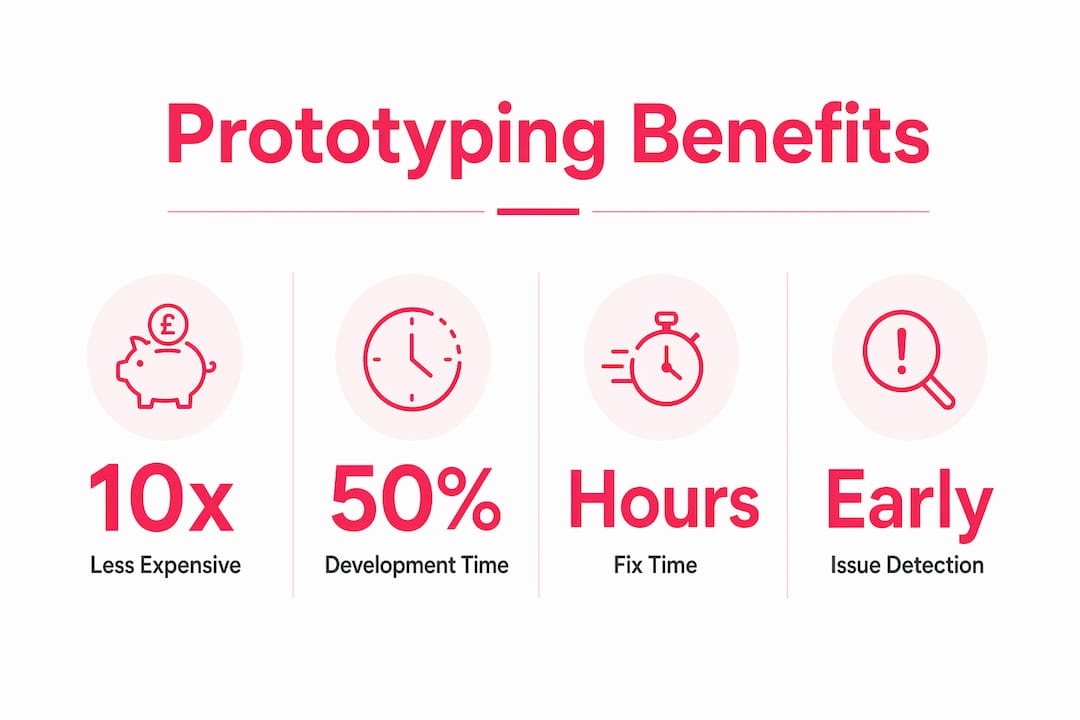
The time investment is also lower than most teams expect. A typical Figma prototype for usability testing can be built in approximately 90 minutes, including frame setup, conditional logic, variable-driven states, and a shareable test link. No engineering time is required. That 90-minute investment can surface problems that would otherwise consume days of developer time to diagnose and fix.
| Stage | Typical cost to fix an issue | Time to implement fix |
|---|---|---|
| Design prototype | Low | Hours |
| Pre-development review | Moderate | One to two days |
| Development build | High | Several days |
| Post-release production | Very high | One to two weeks plus regression testing |
Prototyping early can halve total development time by reducing costly rework. That is a significant claim, and the mechanism is simple. When teams resolve ambiguity in Figma rather than in code, developers receive clearer specifications and spend less time rebuilding features that did not meet expectations.
Pro Tip: Track the number of design changes requested after development begins on projects with and without prototyping. The difference in late-stage change requests is usually the clearest internal proof of prototyping’s value.
Common Figma prototyping pitfalls designers should avoid
Most Figma prototyping tutorials focus on animations and transitions. That focus is misplaced. The value of a prototype lies in revealing friction points, not in flawless animations. Designers who spend hours perfecting motion curves while ignoring error states are building prototypes that look impressive but communicate very little to engineers or users.
The pitfalls worth avoiding are specific and practical:
- Skipping failure states. Real products must handle form validation errors, empty search results, slow network responses, and session timeouts. Effective prototypes simulate these failure conditions so engineers understand expected behaviour before they write a single function.
- Building only the happy path. A prototype that only shows the ideal user journey gives stakeholders a false sense of confidence. Include the edge cases: what happens when a user enters an invalid postcode, uploads the wrong file type, or tries to check out with an expired card?
- Duplicating frames instead of using Variables. Figma Variables and conditional logic reduce prototype file complexity and improve update speed. Replacing duplicated frames with variable-driven states means you update one component rather than twenty screens.
- Testing too many tasks in one session. Testing more than one primary task per prototype session diminishes feedback quality and extends session time. One task per session produces cleaner, more reliable data.
- Leaving dead ends in the flow. Prototype dead ends, screens with no connected interactions, inflate misclick rates and confuse participants. Every screen a user might reach during testing needs a connected next state, even if it is just a “thank you” placeholder.
- Ignoring pre-filled form fields. Pre-filling form variables in prototypes reduces participant confusion during usability testing. When users spend cognitive effort typing realistic data, they have less attention available for evaluating the actual interface.
These are not edge cases. They are the difference between a prototype that generates useful decisions and one that generates false confidence.
How do Figma prototypes improve user experience and design quality?
Prototypes expose friction points that static mockups simply cannot. A flat screen shows what an interface looks like. An interactive prototype shows how it behaves, and behaviour is where usability problems live. Navigation patterns, user flows, micro-interactions, and visual hierarchy can all be tested with Figma prototypes before development begins, revealing mismatches between designer intent and user expectation.

The practical impact on ecommerce UX is particularly clear. When Bigeyedeers designs a checkout flow or a product filter system, we prototype the interaction before any front-end work starts. This lets us test whether users understand the filter logic, whether the basket update feels responsive, and whether the progress indicator in a multi-step checkout reduces abandonment anxiety. These are questions that optimising ecommerce UX depends on answering before code is written, not after.
Prototyping also sharpens stakeholder communication in a way that written specifications cannot. A product manager who clicks through a prototype understands the proposed experience far better than one who reads a requirements document. That shared understanding reduces the number of late-stage change requests and keeps projects on schedule. Prototyping changes the design workflow from large end-stage efforts into smaller, ongoing, decision-focused pieces. Each prototype answers a specific question and moves the project forward with evidence rather than assumption.
Pro Tip: When presenting a prototype to stakeholders, give them a specific task to complete rather than asking them to “have a look around.” Task-based observation reveals far more about usability than open-ended exploration.
Key takeaways
Figma prototyping reduces design risk, cuts development cost, and produces better user experiences by surfacing usability problems before they reach production.
| Point | Details |
|---|---|
| Cost of late fixes | A usability issue costs up to 100 times more to fix post-release than during the design phase. |
| Build time is low | A complete Figma prototype for usability testing takes approximately 90 minutes without engineering input. |
| Behaviour over animation | Prototypes must include failure states and edge cases, not just polished happy-path flows. |
| One task per session | Limiting usability tests to one primary task per session produces more reliable feedback. |
| Variables reduce complexity | Figma Variables and conditional logic replace duplicated frames and speed up prototype updates. |
Why I think most teams underestimate what prototyping actually does
The teams I see getting the most from Figma prototyping are not the ones with the most sophisticated animations. They are the ones who treat prototyping as a tool for managing uncertainty. Every project carries assumptions about how users will behave, what they will understand, and what they will do when something goes wrong. Prototyping is the fastest way to test those assumptions before they become expensive commitments.
What surprises me most is how often teams skip prototyping on the grounds that they do not have time. The irony is that every hour spent prototyping saves several development hours downstream. The teams that skip prototyping to save time almost always spend more time in development managing change requests, reworking flows, and debugging interactions that were never properly specified.
The other thing worth saying plainly: prototyping is not just a design activity. It is a communication tool. When a developer can click through a prototype and see exactly how a form should behave when validation fails, they build it correctly the first time. That alignment is worth more than any amount of written documentation. If your team is still handing over static screens and hoping for the best, prototyping is the single change that will have the most immediate impact on delivery quality.
— Steve
How Bigeyedeers uses Figma prototyping in ecommerce design
At Bigeyedeers, Figma prototyping sits at the centre of every ecommerce web design project we deliver. Before any development work begins on a Magento or Shopify build, we prototype the key user journeys, from product discovery through to checkout, so that every interaction is validated and every edge case is accounted for.

Our design process is built around reducing uncertainty early, which means fewer surprises in development and faster delivery for our clients. If you are building or rebuilding an online store and want a team that treats UX and prototyping as core disciplines rather than afterthoughts, meet the Bigeyedeers team and find out how we approach design-led ecommerce builds. We also work with partners like Pik Pik Pow on web projects where design quality and prototyping rigour are non-negotiable.
FAQ
Why does Figma prototyping matter for product teams?
Figma prototyping matters because it surfaces usability problems before development begins, when fixes are significantly cheaper and faster to implement. Teams that prototype consistently reduce late-stage change requests and deliver better user experiences.
How long does it take to build a Figma prototype for usability testing?
A complete Figma prototype for usability testing, including frames, conditional logic, variable-driven states, and a shareable link, takes approximately 90 minutes to build without any engineering time.
What is the biggest mistake designers make when prototyping in Figma?
The most common mistake is building only the happy path and ignoring failure states. Effective prototypes simulate error conditions, edge cases, and unexpected user behaviour so that engineers and stakeholders understand the full system before development starts.
How many tasks should a usability test session cover?
One primary task per session. Testing more than one task diminishes feedback quality and extends session time, making it harder to draw reliable conclusions from participant behaviour.
Can Figma prototypes replace written specifications?
Figma prototypes do not replace specifications entirely, but they communicate system behaviour far more clearly than written documents alone. A developer who can click through a prototype builds features more accurately and with fewer clarification requests.
Recommended



Adobe Commerce (Magento)
Formerly known as Magento, Adobe Commerce is built for complex catalogues, integrations, and long term growth. We design and develop stable, scalable stores that support demanding eCommerce requirements, including multi-store setups, complex pricing, and Hyva based performance improvements.

Bespoke Build
We design and build custom eCommerce platforms for businesses with complex workflows, integrations, or non standard requirements. Built from scratch around your business needs using Laravel and modern architectures.

Working with brands across the UK from our offices in Cardiff and Exeter, you deal directly with a senior team of designers and developers specialising in Shopify, Magento, WordPress and bespoke eCommerce platforms.
We focus on commercial outcomes. Better conversion rates, strong SEO foundations and eCommerce platforms that continue to improve long after launch.