What is a progressive web app? 2026 guide
TL;DR:
- A progressive web app is a fast, reliable web application that delivers an app-like experience without requiring installation from an app store. It relies on a web app manifest, service worker, and HTTPS to enable features such as offline access, push notifications, and quick load times, significantly improving user engagement and conversion rates. PWAs are cost-effective, easy to update, and ideal for content-heavy and ecommerce sites, but may not suit applications requiring deep hardware integration.
A progressive web app (PWA) is a web application that uses modern browser technologies to deliver a fast, reliable, and app-like experience without requiring installation from an app store. The term was coined by Google engineers Alex Russell and Frances Berriman in 2015, but the technology has matured significantly since then. PWAs combine the broad reach of a standard website with the engagement qualities of a native mobile app. For developers and business owners, understanding what a progressive web app delivers in practice is the difference between a mediocre mobile experience and one that genuinely converts.
What is a progressive web app and how does it work?
A PWA is defined by three core components: a web app manifest, a service worker script, and HTTPS delivery. Each component plays a distinct role. The web app manifest is a JSON file that tells the browser how to display the app, controlling the icon, splash screen, and whether the address bar appears. The service worker is a JavaScript file that runs in the background, separate from the main browser thread, handling caching, offline access, and push notifications. HTTPS is the security layer that makes the whole system trustworthy.

The service worker is the most technically significant piece. It sits between the browser and the network, intercepting requests and serving cached responses when connectivity is poor or absent. This is what gives PWAs their offline capability, which is one of the most valued progressive web app features for users on unreliable mobile networks.
Progressive enhancement is the underlying design principle. A PWA works on any device and any browser, but delivers richer functionality to browsers that support the full API set. Mozilla’s MDN Web Docs is the authoritative reference for the full Web APIs available to service workers, including background sync, periodic background sync, and the Push API.
Pro Tip: When setting up your service worker caching strategy, use a “stale-while-revalidate” approach for content that changes frequently. This serves the cached version instantly while fetching a fresh copy in the background, giving users speed without serving stale data.
What benefits do pwas offer over traditional websites?
The performance case for PWAs is direct. 53% of users abandon a mobile website that takes longer than three seconds to load. Service worker caching addresses this by serving assets from local storage rather than the network, which can drive up to an 80% conversion increase in ecommerce contexts. That is not a marginal gain. It is the kind of number that changes a business case.
Here are the primary advantages developers and business owners should weigh:
- Faster load times. Cached assets load from the device, not the server, cutting time-to-interactive dramatically on repeat visits.
- Offline access. Users can browse previously loaded content without a network connection, which matters enormously for news, documentation, and product catalogues.
- No app store friction. PWAs are accessible via URL and can be added to the home screen directly from the browser. There is no review process, no 30% platform fee, and no waiting for approval.
- Lower development costs. A single codebase serves all platforms. Cross-platform reach without app store hurdles makes PWAs the right choice for rapid market entry and MVP validation.
- Push notifications. Re-engagement via push is possible without a native app, though the reality of user acceptance deserves honest attention (more on that below).
“The main value of PWAs in 2026 for ecommerce is to provide a reliable and fast mobile experience through smart caching and personalisation, not simply to replicate a native app interface.”
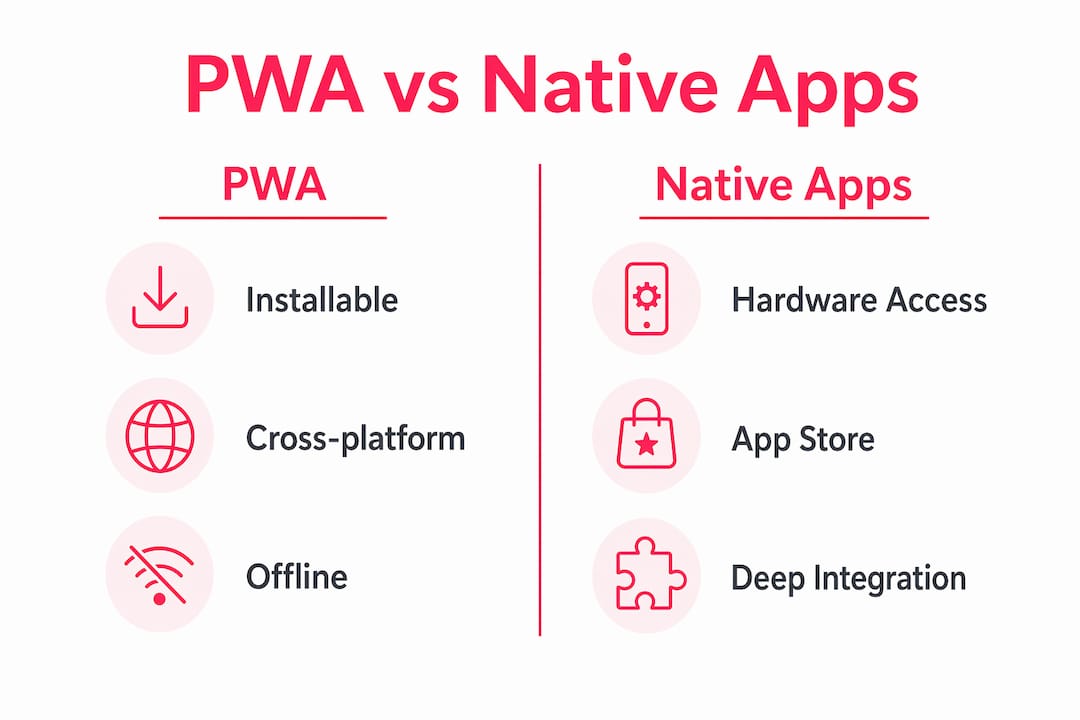
PWAs do have limits. They are not the right tool for every job. Applications requiring deep hardware integration, such as augmented reality using ARKit or ARCore, or background OS-level tracking, still require native apps. Knowing this early saves wasted effort.
PWA vs native apps: which should you build?
The honest answer is that it depends on what your users need from the device. The table below maps the key differences across the three main approaches.
| Feature | PWA | Native App | Responsive Website |
|---|---|---|---|
| Installation | Home screen via browser | App store download | None required |
| Offline support | Yes, via service worker | Yes, full OS support | No |
| Push notifications | Yes (browser-dependent) | Yes, full OS support | No |
| Hardware access | Limited browser APIs | Full device APIs | Very limited |
| Development cost | Lower, single codebase | Higher, per platform | Lowest |
| Update process | Instant, no store review | Store review required | Instant |
| Discoverability | Search engines + URL | App store search | Search engines |
| Performance ceiling | High, not unlimited | Highest | Moderate |
Native apps win on raw hardware access and OS-level integration. If your product relies on Bluetooth peripherals, ARKit, or continuous background location tracking, a native app is the correct choice. PWAs win on speed to market, cost, and reach. For most ecommerce, content, and productivity use cases, PWA ecommerce performance is more than sufficient.
The comparison with a standard responsive website is equally important. A responsive site adapts its layout to screen size but offers no offline capability, no push notifications, and no installability. A PWA does all three. The development overhead of adding a manifest and service worker to an existing site is relatively low, which makes the upgrade from responsive site to PWA a strong return on investment for most teams.
One nuance worth noting: iOS Safari has historically lagged behind Chrome in PWA support. Apple has improved this substantially, but some Push API features and background sync capabilities remain inconsistent on iOS. Test on real devices, not just emulators.
When and how should you implement a PWA?
PWAs are most successful for content-heavy applications with frequent user visits: documentation platforms, news sites, research tools, and ecommerce stores. They are less suited to hardware-heavy or high-performance applications where native APIs are non-negotiable.
For ecommerce specifically, the architecture decision matters as much as the technology choice. Decoupling the storefront from back-end systems via APIs is the approach that delivers the best results. Retrofitting PWA features onto a legacy monolithic theme creates regressions and limits what you can actually achieve. A headless or composable architecture, where the frontend communicates with Magento or Shopify via REST or GraphQL APIs, gives you full control over the PWA layer.
The practical steps for implementation are:
- Add a web app manifest. Define your app name, icons, theme colour, and display mode. This enables the “Add to Home Screen” prompt.
- Register a service worker. Write caching logic for your static assets and key pages. Decide which routes should work offline and which should fail gracefully.
- Enforce HTTPS. Service workers will not run on insecure origins. If your site is still on HTTP, fix this first.
- Test with Lighthouse. Google’s Lighthouse tool in Chrome DevTools audits PWA compliance, performance, accessibility, and SEO in one report.
- Plan your notification strategy carefully. Push notification acceptance sits at around 17% across PWA implementations. That figure is low because most sites prompt users immediately on arrival, before any trust is established.
Pro Tip: Delay your push notification prompt until after a user has completed a meaningful action, such as making a purchase or reading three articles. Contextual prompting significantly improves opt-in rates compared to blanket prompts on first visit.
For progressive web application examples that demonstrate these principles well, look at Starbucks, which built a PWA that works offline and matches the functionality of its native app, and Pinterest, which saw a 60% increase in core engagements after rebuilding as a PWA.
Key takeaways
A PWA delivers app-like performance, offline access, and push notifications through a single web codebase, making it the most cost-effective path to a high-quality mobile experience for most ecommerce and content businesses.
| Point | Details |
|---|---|
| Three core components | Every PWA requires a web app manifest, a service worker, and HTTPS to function correctly. |
| Performance impact | Service worker caching addresses the 53% abandonment rate caused by slow mobile load times. |
| PWA vs native apps | Native apps win on hardware access; PWAs win on cost, reach, and speed to market. |
| Architecture matters | Decouple your frontend from back-end systems via APIs before adding PWA features to avoid regressions. |
| Notification UX | Push notification acceptance averages 17%; prompt users after a meaningful action, not on first visit. |
Pwas in 2026: what i’ve actually seen work
The technology has been around long enough now that we can separate the genuine wins from the hype. In my experience, the biggest mistake teams make is treating a PWA as a shortcut to a native app. It is not. It is a different product with different strengths.
Where I have seen PWAs deliver real business value is in ecommerce stores with high mobile traffic and repeat visitors. The combination of fast repeat loads and offline browsing genuinely changes the experience for users on commuter trains or patchy 4G. The bounce rate improvements for ecommerce we have seen are consistent with the research. That is not surprising once you understand how service worker caching works.
What surprises people is how much the architecture decision matters. Teams that bolt a service worker onto an existing Magento theme without decoupling the frontend often end up with a fragile setup that breaks on updates. The right approach is to treat the PWA layer as a proper frontend project, not an afterthought.
The iOS situation has improved, but I would still test every PWA feature on a physical iPhone before signing off on it. Safari’s implementation of the Push API only became available in iOS 16.4, and adoption of that version is not universal. Do not assume parity with Chrome.
My honest view: for most ecommerce and content businesses, a well-built PWA is a better investment than a native app. The reach is broader, the maintenance burden is lower, and the performance gap with native has narrowed considerably. Build the PWA first. Build the native app only when your users are asking for something the browser cannot give them.
— Steve
How Bigeyedeers can help you build a performant PWA
At Bigeyedeers, we build high-performing ecommerce stores on Magento and Shopify, and PWA architecture is a core part of how we approach mobile performance for our clients.

Whether you are starting a new build or looking to improve an existing store, we can help you assess whether a PWA approach fits your platform and user base. Our team works with decoupled frontend architectures, Hyvä frontends, and headless setups that give you the control you need to implement PWA features properly. If you are running Magento, our Magento web design service covers the full build, from architecture planning through to performance testing and ongoing support. Get in touch to talk through your project.
FAQ
What is a progressive web app in simple terms?
A progressive web app is a website that behaves like a mobile app. It loads fast, works offline, and can be added to your home screen without going through an app store.
Can a PWA work offline?
Yes. A PWA uses a service worker to cache pages and assets on the device. Cached content is available even without a network connection, making offline browsing possible.
What are the main progressive web app features?
The three defining features are offline support via service workers, installability via a web app manifest, and secure delivery over HTTPS. Push notifications and background sync are additional capabilities.
How does a PWA compare to a native app?
PWAs offer broader reach, lower development costs, and instant updates without app store review. Native apps offer deeper hardware access and full OS-level integration, which PWAs cannot replicate through browser APIs alone.
Are pwas good for ecommerce?
Yes, particularly for stores with high mobile traffic. Fast load times and offline access address the core reasons mobile shoppers abandon before purchasing, and a single codebase reduces ongoing maintenance costs compared to maintaining separate web and app experiences.
Recommended



Adobe Commerce (Magento)
Formerly known as Magento, Adobe Commerce is built for complex catalogues, integrations, and long term growth. We design and develop stable, scalable stores that support demanding eCommerce requirements, including multi-store setups, complex pricing, and Hyva based performance improvements.

Bespoke Build
We design and build custom eCommerce platforms for businesses with complex workflows, integrations, or non standard requirements. Built from scratch around your business needs using Laravel and modern architectures.

Working with brands across the UK from our offices in Cardiff and Exeter, you deal directly with a senior team of designers and developers specialising in Shopify, Magento, WordPress and bespoke eCommerce platforms.
We focus on commercial outcomes. Better conversion rates, strong SEO foundations and eCommerce platforms that continue to improve long after launch.