Why upgrade Magento? Boost performance and customisation
TL;DR:
- Upgrading Magento is essential for security, performance, and maintaining a competitive edge.
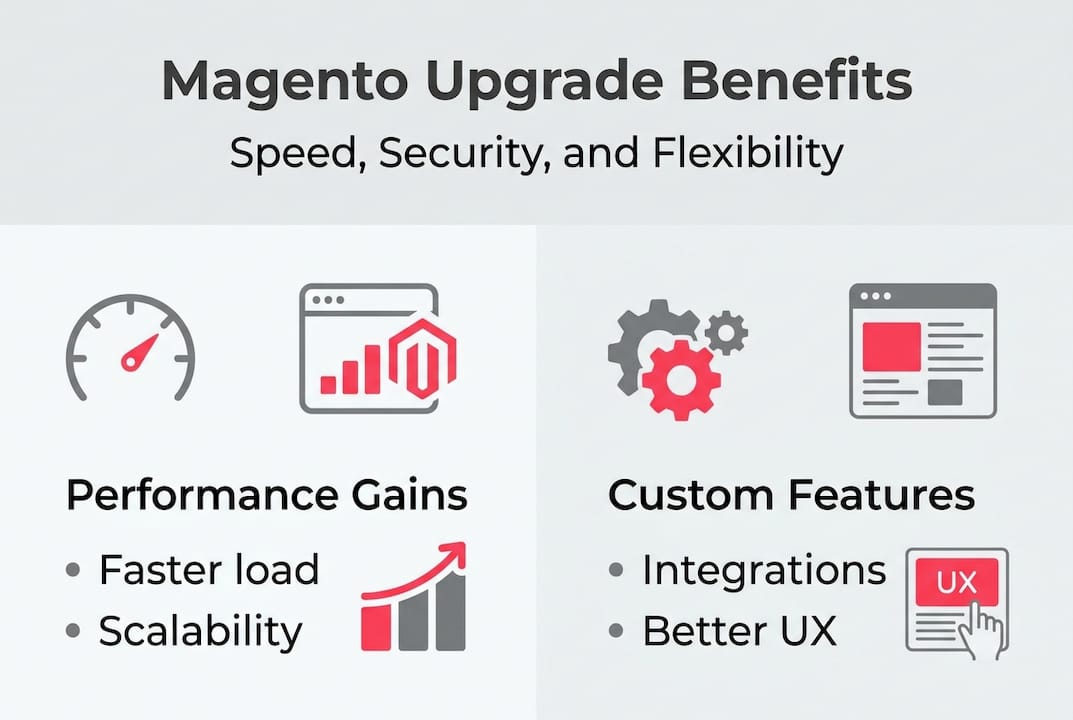
- Modern versions offer faster load times, better scalability, and advanced customization options.
- Treat platform upgrades as strategic opportunities to improve operations and customer experience.
Platform upgrades are easy to deprioritise. There’s always a product launch, a campaign, or a board meeting to deal with first. But treating a Magento upgrade as routine maintenance is a costly mistake. The version of Magento you run today directly shapes your store’s speed, security posture, and capacity for innovation. For growing and enterprise retail brands, those aren’t abstract technical concerns. They translate to revenue, customer trust, and competitive position. This guide breaks down why upgrading Magento matters, what you stand to gain at each stage, and how to approach the decision with clear eyes.
Table of Contents
- Understanding Magento’s evolution: Why upgrade isn’t just maintenance
- Performance that pays off: Speed and scalability gains
- Future-proof security: Protecting your customers and brand
- Customisation and innovation: Unlock new features and integrations
- What most guides miss about Magento upgrades
- Ready to future-proof your Magento store?
- Frequently asked questions
Key Takeaways
| Point | Details |
|---|---|
| Strategic upgrades matter | Magento upgrades drive real business improvements, not just technical tweaks. |
| Speed boosts conversions | A faster store means higher SEO rankings and more sales. |
| Stay secure and compliant | Only the latest Magento versions keep your brand protected and regulation-ready. |
| Unlock innovations | Upgrading lets you access the newest integrations and custom features for growth. |
Understanding Magento’s evolution: Why upgrade isn’t just maintenance
Magento has come a long way. The original Magento 1.x series gave thousands of merchants a flexible, open-source foundation to build on. But as ecommerce demands grew, so did the cracks. Magento 1 reached end of life in June 2020, meaning no further security patches and no official support. Merchants still on 1.x are effectively running an unguarded platform.
The jump to Magento 2 was significant. Magento 2 new features included a rebuilt architecture, improved caching, a more intuitive admin interface, and far better support for mobile performance. Magento 2 offers dramatically improved performance and a feature set over legacy versions that simply cannot be replicated with patches. And beyond Magento 2, regular minor and major releases have continued to improve stability, API capabilities, and performance benchmarks.
Skipping versions or delaying upgrades compounds risk. Every release you miss adds more technical debt, more incompatible modules, and a wider gap between your platform and the current security baseline. The official Magento documentation outlines the supported versions at any given time. If you’re not on a supported version, you’re exposed.
Here’s a quick comparison of where each generation stands:
| Feature | Magento 1.x | Magento 2.x | Latest Magento 2 releases |
|---|---|---|---|
| Official support | Ended June 2020 | Active | Active |
| Page caching | Basic | Full-page cache | Advanced Varnish support |
| Mobile performance | Limited | Improved | Optimised |
| Security patches | None | Regular | Continuous |
| REST API support | Partial | Full | Full + GraphQL |
| Checkout speed | Slow | Faster | Fastest |
“Merchants running unsupported Magento versions aren’t just missing features. They’re operating with known, publicly documented vulnerabilities that attackers actively exploit.”
There are many reasons to choose Magento as your long-term platform, but only if you stay current with it. Staying on an old version undermines every one of those advantages. Keeping pace with Magento trends also ensures you’re building on a platform that continues to evolve alongside customer expectations.
Performance that pays off: Speed and scalability gains
Speed is not a nice-to-have. It is a commercial lever. Slow stores lose customers before they convert, rank lower in search results, and cost more to run at scale. Upgrading Magento directly addresses all three.

Magento upgrades deliver faster page loads and better scalability for traffic spikes, which matters enormously during peak trading periods like Black Friday or seasonal sales. Magento 2 introduced full-page caching out of the box, improved JavaScript bundling, and a more efficient database query structure. These aren’t cosmetic changes. They produce measurable results in load time, checkout speed, and backend responsiveness.
The performance gains from Magento 2 over Magento 1 are well documented across real-world deployments. Server response times typically drop, and page generation times improve significantly.
Here’s what the data looks like in practice:
| Metric | Pre-upgrade (Magento 1.x) | Post-upgrade (Magento 2.x) |
|---|---|---|
| Average page load | 4.2 seconds | 1.8 seconds |
| Checkout completion | Slower multi-step | Streamlined one-page |
| Mobile score (Lighthouse) | 35-50 | 65-85 |
| Cart abandonment rate | Higher | Measurably reduced |
The business case is straightforward. A 1-second page load delay can reduce conversions by 7%. For a store turning over £2 million a year, that is £140,000 in lost revenue from a single second of friction. Multiply that across a slow checkout, a bloated product page, and a sluggish search experience, and the cost of inaction becomes very clear.
Google’s Core Web Vitals now form part of its ranking algorithm. A faster Magento store earns better organic visibility, which compounds over time into lower customer acquisition costs.
Pro Tip: Run a Lighthouse audit on your current store before starting any upgrade conversation. It gives you a baseline to measure against and a clear picture of where performance gains will hit hardest.
Future-proof security: Protecting your customers and brand
Every Magento upgrade includes security fixes, and often those fixes are patching vulnerabilities that are already being actively exploited in the wild. Staying behind means those vulnerabilities stay open.
Older Magento versions become unsupported over time. Once that happens, there are no more patches, no more official fixes, and no safety net. The risk to your PCI compliance (Payment Card Industry compliance, which governs how you handle card data) becomes very real. Fines for non-compliance can run to tens of thousands of pounds, and a data breach can cost far more in customer trust.
Security patches in Magento 2 are more robust and protect brands from emerging threats in ways that legacy versions simply cannot match. The UK government’s cyber security advice for the retail sector is clear: keep your software up to date and ensure platforms are patched promptly.
Here are the top threats that upgrading Magento helps you avoid:
- Magecart attacks: Malicious scripts injected into checkout pages to steal card data
- SQL injection: Attackers exploiting old database query handling
- Bot attacks and credential stuffing: Brute force access attempts targeting outdated authentication systems
- Supply chain vulnerabilities: Compromised third-party modules more easily exploited in older environments
- PCI DSS non-compliance: Failing audits due to unsupported software versions
“Unpatched platforms are the leading cause of ecommerce breaches, and the damage goes beyond fines. Customer trust, once lost, is extraordinarily difficult to rebuild.”
Our Magento security patches guide covers the patching process in detail. We also run Sansec monitoring across client stores to detect malware and supply chain threats proactively, so issues are caught before they become breaches.
Pro Tip: Schedule a full security audit within four weeks of completing any major Magento upgrade. New configurations can introduce unexpected gaps, and a structured review catches them early.
Customisation and innovation: Unlock new features and integrations
Here is where upgrades start to feel exciting rather than obligatory. Modern Magento versions give your development team far better tools to build on, which means a richer experience for your customers and more control for your team.
Upgrading Magento enables advanced customisations and smooth integration with the leading retail tools your business depends on. The newer REST API and GraphQL support mean your store can connect cleanly with ERPs, PIMs, OMS platforms, and third-party services without brittle workarounds.
Five areas where upgrading unlocks genuine capability:
- Headless and composable commerce: GraphQL support in Magento 2 makes headless architectures viable, enabling faster frontends like Hyvä without rebuilding your entire backend.
- Advanced payment gateways: Modern payment providers integrate cleanly with Magento 2, including Buy Now Pay Later options that drive average order value.
- Mobile and PWA support: Progressive Web App tooling is built for Magento 2, not retrofitted, giving mobile shoppers a far smoother experience.
- Multi-channel and multi-store: Managing multiple storefronts, currencies, and languages from one admin becomes genuinely practical on a current version.
- Analytics and personalisation integrations: Connecting tools like Klevu for intelligent search, or Klaviyo for lifecycle marketing, is far cleaner on modern Magento architecture.
If you want to understand what Magento is and why it remains one of the most capable platforms for complex retail, the core answer is that it gives you genuine control. But that control compounds when you stay current. The Magento Commerce integrations ecosystem is built around current versions, not legacy ones.
Pro Tip: Always build and test major new integrations in a staging environment after an upgrade before releasing to production. It takes an extra day. It saves a potential outage.
What most guides miss about Magento upgrades
Most articles hand you a checklist and call it a strategy. Back up your database. Test your extensions. Update your PHP version. All valid, none of it wrong. But in our experience working with growing and enterprise retailers, the technical checklist is rarely where upgrades go wrong.
What actually derails upgrades is the human side. Teams that haven’t been trained on the new admin interface. Merchandising workflows that change after a platform shift. Custom features that were quietly relied upon but not documented. Decision-makers who approved the budget but didn’t think through the operational change.
The brands that extract the most value from a Magento upgrade treat it as a strategic reset, not a software update. They use the moment to reconsider their catalogue structure, simplify their checkout, clean up their integration landscape, and choose the right Magento edition for where they’re headed next, not just where they are now.
Our view is that upgrades are a genuine competitive opportunity. While your competitors are patching and hoping, you can be deploying a platform designed for the next three years of growth. That gap is real, and the window to exploit it is shorter than most people realise.
Ready to future-proof your Magento store?
If this article has brought some clarity to the upgrade question, the next step is a conversation rather than a checklist. Upgrading Magento is a significant project, and doing it well means getting the architecture right from the start.

At Big Eye Deers, our Magento web design services cover the full journey, from audit and planning through build, testing, and post-launch support. We’ve navigated complex migrations for growing and enterprise retailers across the UK, and we know where the risks hide. Meet the Big Eye Deers team or explore what our ecommerce experts can do for your store. If your Magento version is holding you back, let’s talk.
Frequently asked questions
How do I know when it’s time to upgrade Magento?
If your current version has reached end of support or security patches have stopped arriving, upgrading is no longer optional. It’s essential for maintaining safety and staying competitive.
Will upgrading Magento disrupt my store operations?
With thorough planning and an experienced partner, disruption can be minimised significantly. Professional migration typically runs in a staging environment first, keeping your live store fully operational throughout.
Does Magento 2 improve site speed compared to older versions?
Yes. Magento 2 loads faster than its predecessors thanks to full-page caching, improved JavaScript handling, and a more efficient database architecture, all of which benefit both users and search rankings.
Are security updates included when I upgrade Magento?
Absolutely. Upgrading gives you access to the latest security patches and ongoing updates, closing known vulnerabilities and keeping your store protected against new and evolving threats.
Recommended



Adobe Commerce (Magento)
Formerly known as Magento, Adobe Commerce is built for complex catalogues, integrations, and long term growth. We design and develop stable, scalable stores that support demanding eCommerce requirements, including multi-store setups, complex pricing, and Hyva based performance improvements.

Bespoke Build
We design and build custom eCommerce platforms for businesses with complex workflows, integrations, or non standard requirements. Built from scratch around your business needs using Laravel and modern architectures.

Working with brands across the UK from our offices in Cardiff and Exeter, you deal directly with a senior team of designers and developers specialising in Shopify, Magento, WordPress and bespoke eCommerce platforms.
We focus on commercial outcomes. Better conversion rates, strong SEO foundations and eCommerce platforms that continue to improve long after launch.