How to Build Ecommerce Website for Advanced UK Brands

Defining platform needs is the first real test for E-commerce managers ready to upgrade their Magento or Shopify sites for British B2B excellence. The choice you make directly influences everything from inventory management to how smoothly your team can scale across the United Kingdom or beyond. This step-by-step guide helps you align your trading model and platform requirements with your growth ambitions, ensuring your foundation supports complex catalogue structures and evolving technology demands.
Table of Contents
- Step 1: Define Platform Needs And Trading Model
- Step 2: Design User Journeys And Wireframes In Figma
- Step 3: Configure Catalogues And Pricing Structures
- Step 4: Integrate Advanced Search And Marketing Tools
- Step 5: Test Security And Performance Before Launch
Quick Summary
| Key Takeaway | Explanation |
|---|---|
| 1. Define platform needs carefully | Assess your current operations and product inventory to match your platform to your actual business requirements. Understand your demands for scalability and integration. |
| 2. Map user journeys for different customers | Create distinct user journeys for both wholesale and retail customers to optimise their experience and reduce friction in the purchasing process. |
| 3. Structure catalogues and pricing effectively | Organise products and establish tiered pricing based on customer type to streamline customer searches and ensure competitive against rivals. |
| 4. Integrate advanced search and marketing tools | Use AI-powered search and marketing automation to enhance product discovery and personalise customer interactions, driving higher conversion rates. |
| 5. Conduct thorough testing before launch | Perform security and performance tests to ensure your platform functions well under load and protects sensitive customer data prior to going live. |
Step 1: Define platform needs and trading model
Before you select a platform or start building, you need to understand what your business actually requires and how you plan to trade. This isn’t about picking the shiniest software available, it’s about matching your operational reality to a platform that can handle it. For advanced UK retail brands, this means considering both immediate demands and growth horizons.
Start by mapping your core platform requirements against your current and planned operations. What does your product inventory look like? Do you need complex tiered pricing for wholesale customers alongside your direct-to-consumer sales? Will you stock thousands of SKUs or hundreds? How many transactions do you expect daily, and where will your customers be based? These details matter because they shape everything from database architecture to payment gateway integration. You’ll also need robust support to avoid downtime that costs you sales, easy implementation via APIs so you can connect your ERP system or accounting software, and the ability to extend functionality through software add-ons as your needs evolve. UK firms should also consider supply chain integration as part of their platform strategy to build resilience and maintain competitiveness.
Next, define your trading model. Are you running a pure direct-to-consumer (DTC) operation, wholesale B2B, or a hybrid? Your answer changes everything about how the platform must function. A SaaS solution like Shopify works brilliantly for smaller, straightforward DTC brands because it’s managed, fast to deploy, and predictable monthly costs. Platform-as-a-Service options offer more flexibility for cloud-based customisation without the overhead of managing infrastructure. Custom development on platforms like Magento Adobe Commerce gives you complete control for complex B2B requirements, account hierarchies, multiple store setups, and custom catalogues, but demands more investment and technical expertise. UK retailers scaling internationally also need to evaluate e-commerce platform capabilities for localisation, multi-currency support, and integration with regional payment methods. Consider your team’s technical capability too. Do you have developers on staff, or will you need agency support? That shapes which platform makes sense financially and operationally.
Here’s how different e-commerce platforms meet UK retail needs:
| Platform Type | Main Benefits | Ideal Use Case |
|---|---|---|
| SaaS (e.g., Shopify) | Quick launch, predictable costs | Small DTC brands, limited complexity |
| PaaS (e.g., BigCommerce Enterprise) | Greater flexibility, cloud customisation | Growing brands needing bespoke features |
| Custom (e.g., Magento Adobe Commerce) | Full control, custom integrations | Complex B2B or multi-store operations |
Pro tip: Document a simple spreadsheet listing your top 10 platform requirements ranked by importance (inventory complexity, B2B features, payment options, integration needs), then score each potential solution against these criteria. This removes emotion from the decision and gives you clear justification for the platform you choose.
Step 2: Design user journeys and wireframes in Figma
This step is where you translate your platform requirements and trading model into actual user experiences. You’ll map how customers move through your store, from discovery to checkout, then create low-fidelity wireframes that show the structure and flow of each page. This groundwork prevents costly mistakes during development and ensures your team aligns on what you’re actually building.
Begin by creating a user journey map that visualises how different customer types interact with your site. For a retail brand offering both B2B and DTC sales, you might have separate journeys for wholesale buyers versus consumers. Plot the key stages where these users enter your store, what problems they’re trying to solve, and where friction points typically occur. Consider a wholesale customer logging in to access tiered pricing and place bulk orders, versus a consumer browsing product recommendations and making a one-off purchase. The path they take, the information they need, and the decisions they make are completely different. User journey mapping helps you visualise these interactions and identify where your design needs to support each user type effectively.

Once you’ve mapped the journeys, open Figma and start wireframing. Create a frame for each major page or screen in your user flows, keeping them low-fidelity at this stage. Don’t worry about colours, typography, or perfect styling yet. Focus on layout, content hierarchy, and interaction patterns. Where does the navigation live? How do users filter products? What information appears above the fold versus below? For B2B sections, include account structures, order history, and pricing displays. For DTC, think about product recommendations, reviews, and upsell opportunities. Translating user flows into functional wireframes in Figma allows you to iterate quickly and test different approaches without heavy development work. Use Figma’s commenting features to gather feedback from stakeholders, product managers, and developers. Their input at this stage saves weeks of rework later. Link your wireframes together to show how users navigate between screens, creating a clickable prototype that brings your user journeys to life.
Once stakeholders agree on the wireframes, you’re ready to hand off to designers who’ll create the high-fidelity visual design layer. But the wireframes remain your foundation, and you’ll refer back to them constantly during development.
Professional tip: Create separate Figma files or pages for each major user type, then link them together in a master file showing all possible user journeys side by side. This helps developers understand edge cases and reduces questions during build phases.
Step 3: Configure catalogues and pricing structures
This step is where your platform begins to take shape operationally. You’ll define how products are organised, categorised, and priced across different customer segments and sales channels. For advanced UK brands handling both B2B and DTC operations, getting this right prevents chaos later and ensures your inventory, pricing logic, and customer experience all align.
Start by mapping your product catalogue structure. Think about how customers actually search for and discover products, not how your warehouse organises them. A fashion retailer might organise by collection, product type, size, colour, and style, whilst a B2B industrial supplier might categorise by application, material, or compliance standard. In Magento or Shopify, you’ll create attribute sets and categories that reflect these customer perspectives. If you’re running wholesale operations, consider how wholesale buyers need to filter and find bulk items differently from retail customers. You can set up separate catalogues or use layered navigation to show different product attributes depending on the customer type. Products themselves can be simple, configurable, or bundled depending on your offering. Configurable products work well when you have variants like size and colour, whilst bundles suit cases where customers buy complementary items together. When setting up product configurations, ensure your attribute structure supports both how you track inventory and how customers search.
Pricing requires equally careful thought. Your base price isn’t just your base price anymore, it’s the foundation for multiple pricing layers. Wholesale customers need tiered pricing that rewards bulk purchases. Premium retailers might offer different prices for different customer groups based on loyalty status or contract terms. Competitive pricing strategies must account for what your competitors charge and how price-sensitive your customers truly are. Set up customer groups in your platform (retail customers, wholesale tier 1, wholesale tier 2, VIP accounts), then assign pricing rules to each group. Factor in currency if you sell internationally, tax requirements for different regions, and seasonal adjustments. Test your pricing structure with real numbers from your first month of operation. Is margin healthy? Are wholesale customers converting? Are retail customers abandoning carts because prices seem high relative to competitors? You’ll refine these settings continuously, so don’t expect perfection on day one. Document your pricing logic clearly so your team understands why prices vary and can defend them to customers.
Professional tip: Export your catalogue and pricing structure into a spreadsheet before building, then import it into your platform once configured. This gives you a clean record of what’s live, makes it easier to spot gaps, and provides a quick rollback option if something goes wrong during configuration.
Step 4: Integrate advanced search and marketing tools
Your catalogue is configured, but customers still need to find what they’re looking for quickly. This step focuses on connecting intelligent search and marketing tools that improve product discovery, personalise customer experiences, and drive conversions. For advanced UK brands, these integrations are what separate a functional store from a high-performing one that genuinely engages customers across B2B and DTC channels.
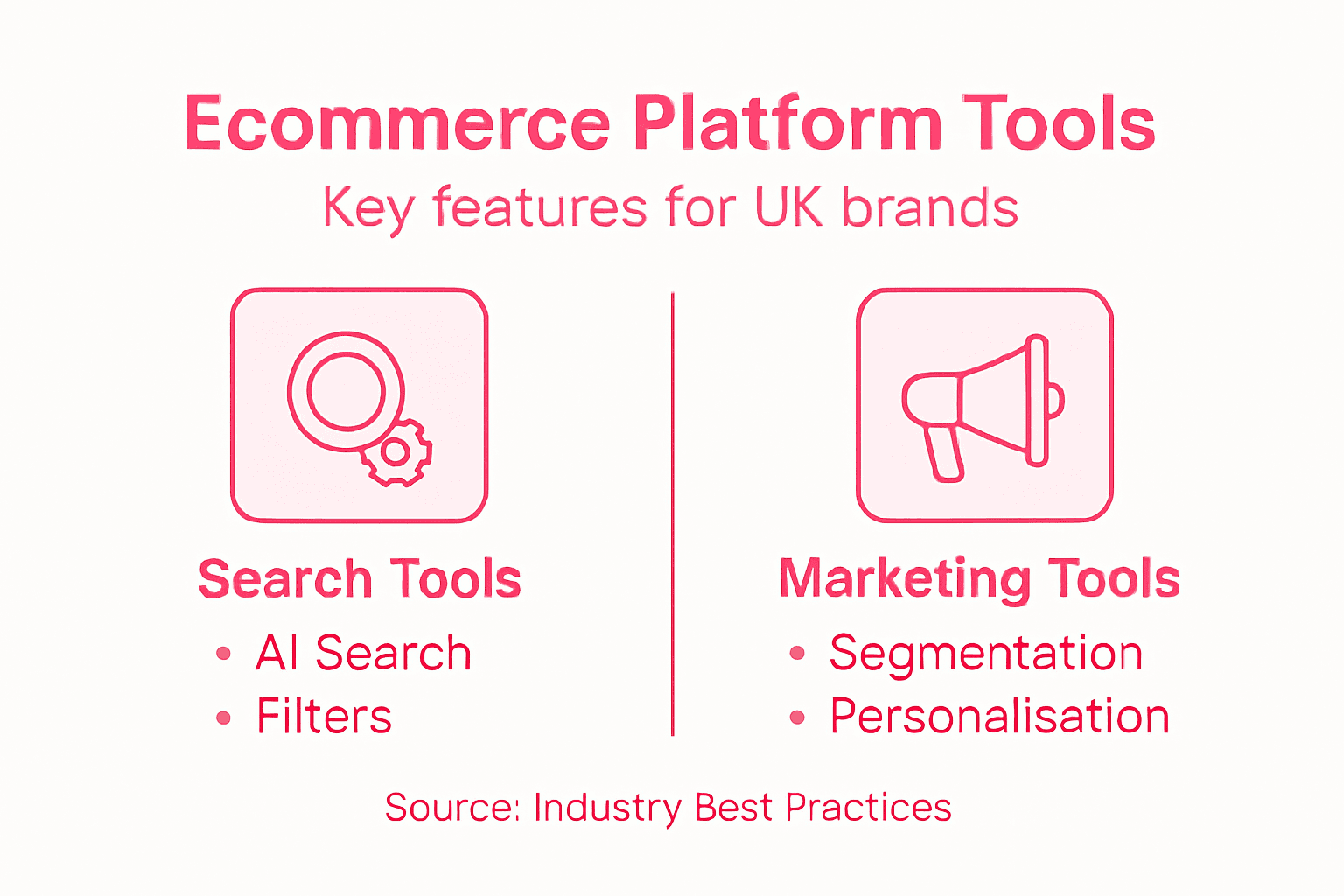
Begin with advanced search functionality. A basic keyword search works, but it frustrates customers who think in different terms than you do. If someone types “outdoor clothing” but you stock “weather-resistant apparel”, they won’t find anything unless your search understands context and intent. AI-powered search tools use deep learning to interpret what customers actually mean, not just match exact words. They analyse purchasing patterns, browsing behaviour, and product relationships to surface the most relevant items first. Improving product discovery through AI search significantly increases the chances customers find what they need on the first try. Tools like Klevu provide artificial intelligence search capabilities that integrate directly into Magento and Shopify, learning from your specific customer behaviour to improve results continuously. Once search is handling discovery, connect marketing automation tools to support customer journeys. Klaviyo integrates with your platform to trigger targeted email campaigns based on customer actions, segment customers by behaviour and purchase history, and measure campaign performance against revenue. For wholesale operations, this means nurturing account managers and buyers with content specific to their purchase patterns. For DTC, you can recommend complementary products, remind customers about abandoned carts, and offer loyalty incentives.
Personalisation engines should sit at the heart of both search and marketing. When a wholesale customer logs in, they see their negotiated pricing and relevant bulk products front and centre. When a retail customer browses, they see recommendations based on their previous purchases and browsing history. AI marketing personalisation increases conversion rates by making each customer feel like the store was built specifically for them. Test these integrations with real traffic before going fully live. Monitor search performance metrics like click-through rates and average position of clicked results. Watch email open rates, click rates, and revenue per campaign. If personalisation is working, you should see average order value increase and cart abandonment decrease over your first two months.
A quick comparison of advanced search and marketing tool impacts:
| Tool Type | Example Solution | Business Impact |
|---|---|---|
| AI-powered Search | Klevu | Increases discovery and conversions |
| Marketing Automation | Klaviyo | Improves targeting and email ROI |
| Personalisation Engine | Platform-native AI | Boosts order value and loyalty |
Professional tip: Set up separate marketing segments for B2B and DTC customers from day one, so your email campaigns, search results, and product recommendations never mix the two audiences. A bulk order offer makes no sense to a retail customer, and personalised product bundles confuse wholesale buyers looking for specific SKUs.
Step 5: Test security and performance before launch
Your store is built, configured, and ready to go live. Before you flip the switch and invite customers in, you need to verify that your platform is secure, performs well under load, and protects customer data properly. Launching without this step is genuinely risky. Payment card breaches, slow load times, or downtime on day one will damage your reputation with customers and cost you sales you can never recover.
Start with security testing. This isn’t something you do casually in an afternoon. Vulnerability scanning, penetration testing, and compliance verification are essential methodologies to identify weak points before attackers find them. Run automated vulnerability scans on your platform to detect known security flaws in your codebase or third-party plugins. Penetration testing involves hiring security experts to actively try to break into your system, attack your API integrations, and exploit authentication mechanisms. For e-commerce, this is non-negotiable because you’re handling payment card data and customer personal information. Ensure your SSL certificate is properly installed so all data between customers and your site is encrypted. Check that your payment gateway integration is PCI compliant and that you’re never storing full credit card numbers on your servers. Test your login system to confirm passwords are hashed securely and that account takeover attacks won’t work. Verify that sensitive customer data like addresses and order history isn’t exposed through your APIs or visible in error messages.
Performance testing comes next. Load your store with synthetic traffic to see how it behaves when dozens or hundreds of customers browse simultaneously. Tools like Apache JMeter or LoadRunner can simulate realistic traffic patterns. Monitor page load times, database response times, and server CPU usage. Aim for pages to load in under 3 seconds on a standard broadband connection because slower sites see higher bounce rates and lower conversions. Test specific scenarios that worry you most, such as what happens when your best-selling product goes on sale and traffic spikes. Test your search functionality with thousands of products in your catalogue to ensure queries still return results quickly. Test your checkout process under load because payment gateway timeouts during peak periods create abandoned orders and customer frustration. Once you’ve identified bottlenecks, work with your development team to optimise. This might mean caching product data, optimising database queries, or upgrading your server infrastructure. Run a final round of testing after optimisations to confirm improvements.
Professional tip: Schedule a staged launch where you invite a small group of trusted customers or staff to test the live site for 24 to 48 hours before opening to the public. This catches real-world issues that synthetic testing sometimes misses, like integration problems with email marketing or payment processing hiccups that only appear under genuine customer load.
Build a Robust Ecommerce Platform Tailored for Advanced UK Brands
Navigating the complexities of creating an ecommerce website that supports both B2B and DTC models is a real challenge for ambitious UK retailers. From designing user journeys in Figma and configuring custom catalogues with tiered pricing to integrating AI-driven search and marketing tools like Klevu and Klaviyo, every step demands expertise and precise execution. Security and performance testing before launch also remain critical to protect your store and customer data in today’s competitive market.
Big Eye Deers understands these challenges intimately. With over 17 years of experience delivering bespoke Magento and Shopify solutions across Cardiff and Exeter, we specialise in crafting platforms that meet the unique needs of complex retail operations. Whether you require multi-store setups, ERP integrations, or advanced B2B account hierarchies, we build ecommerce environments designed for growth, reliability, and seamless user experiences.
Explore how our proven approach to UX design, secure and high-performing infrastructure, and lifecycle marketing can transform your online store. Start your journey with the experts who know how to bridge strategic planning and flawless execution.
Discover our ecommerce services and let us help you build an online store that delivers real results now.

Ready to move beyond functional to truly exceptional ecommerce? Contact Big Eye Deers today to unlock the full potential of your retail brand with a platform built for complexity and scale. Visit Big Eye Deers and take the next step towards ecommerce mastery.
Frequently Asked Questions
What are the key requirements to define before building an e-commerce website for advanced UK brands?
To build an effective e-commerce website, identify your core platform requirements, including product inventory, pricing structures, and payment gateways. Map these requirements against your current operations and future growth to ensure the platform aligns with your business model.
How can I design user journeys for different customer types on my e-commerce site?
Start by creating user journey maps for your key customer segments, such as wholesale buyers and retail consumers. Outline the steps each customer type takes from product discovery to checkout, then use this information to create wireframes in Figma that support their unique experiences.
What is the best way to organise my product catalogue and pricing structures?
Organise your product catalogue based on how customers search and discover items, considering their preferences and buying behaviours. Set up separate catalogues for B2B and DTC customers if necessary, and establish tiered pricing to reflect different customer groups—this will streamline their shopping experience.
How can I ensure advanced search functionality is effective for my e-commerce website?
Integrate an AI-powered search tool that understands customer intent and context, allowing customers to find products easily. Test the search functionality with real users to ensure it surfaces relevant results consistently, aiming to improve product discovery and customer satisfaction.
What steps should I take to test my e-commerce website’s security before launch?
Conduct thorough security testing, including vulnerability scans and penetration tests, to identify and address any weaknesses in your platform. Ensure your SSL certificate is correctly installed and that your payment gateway is PCI compliant to protect customer data from day one.
Recommended



Adobe Commerce (Magento)
Formerly known as Magento, Adobe Commerce is built for complex catalogues, integrations, and long term growth. We design and develop stable, scalable stores that support demanding eCommerce requirements, including multi-store setups, complex pricing, and Hyva based performance improvements.

Bespoke Build
We design and build custom eCommerce platforms for businesses with complex workflows, integrations, or non standard requirements. Built from scratch around your business needs using Laravel and modern architectures.

Working with brands across the UK from our offices in Cardiff and Exeter, you deal directly with a senior team of designers and developers specialising in Shopify, Magento, WordPress and bespoke eCommerce platforms.
We focus on commercial outcomes. Better conversion rates, strong SEO foundations and eCommerce platforms that continue to improve long after launch.